


Table of Contents
Automating your processes is a great way to make sure that you don’t overlook important tasks. If a task is handed off to a machine, you never run the risk of human error and can save time better spent on things only humans can do.
One of the simplest ways to hand tasks off to a machine is by using Zapier, a code-free integrations platform that connects CallHub to over 1,000 different apps. Read more about Zapier here — you’ll be surprised how much work you’re doing manually that you could be automating!
In this post, I’m going to explain how you can automatically create new CallHub user accounts while onboarding new call center employees. It uses a Process Street checklist for employee onboarding as the trigger, which also ensures other vital setup tasks are completed by the person in charge of orienting new hires at your company.
To get technical, this integration uses the Process Street “task checked” trigger and the CallHub “create new agent” action via Zapier. when a pre-specified task on a employee onboarding checklist is checked (like a task called “Add to CallHub”), it pushes the employee’s data to CallHub to make a new agent and emails the agent an activation link.
To set this integration up, you’ll need a Process Street template from which to trigger the CallHub user creation. In this example, I’ve used a slightly modified version of our call center employee onboarding process, which you can add to your Process Street account here.
In the template, I added a task that we’re going to use as the trigger for user creation, and also added a username form field to the first task:
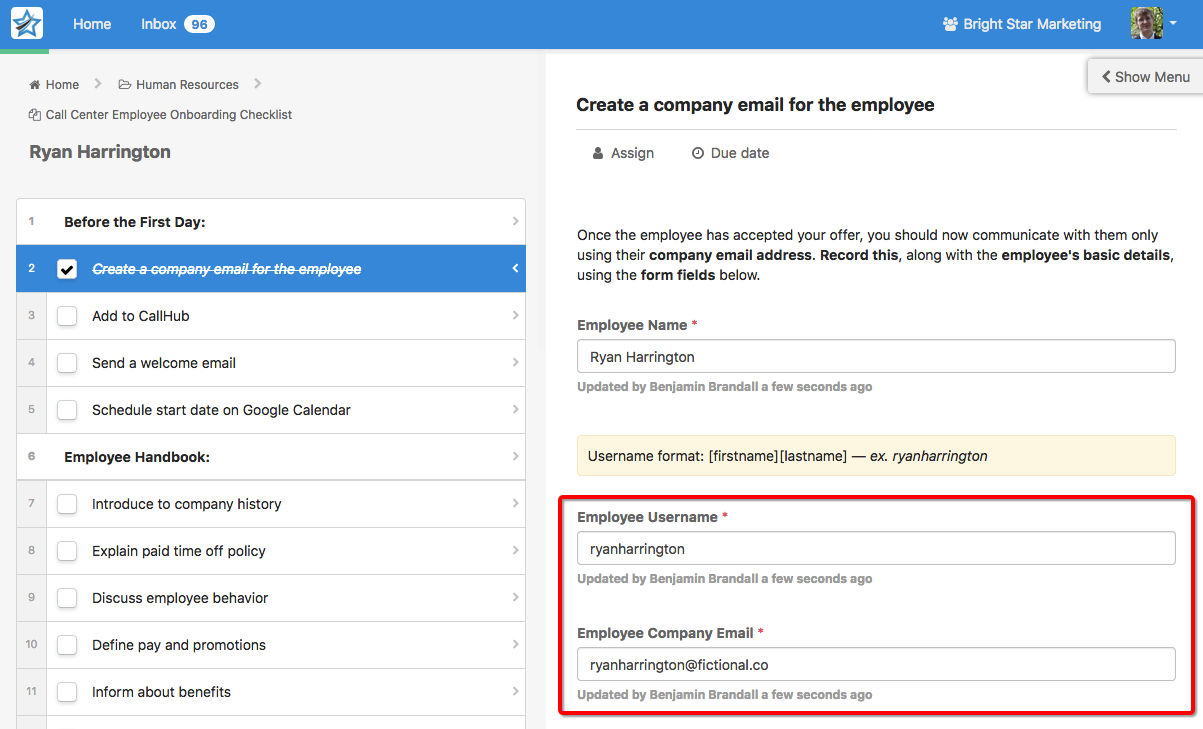
When the person in charge of onboarding new call center employees runs this process, they will fill in the necessary information before moving onto the next step. Instead of having to go and manually create a user in CallHub, simply checking off the task sends the inputted data to Zapier and does that automatically.
If you already have a call center onboarding checklist you want to modify instead, make sure it has:
- A form field for the employee’s email
- A form field for the employee’s username
- A task which will trigger CallHub user account creation
Run a checklist and fill it with sample information so Zapier has data to test, and you’re ready to move onto the zap setup.
Step one: set up Process Street’s “new task checked” as the trigger in Zapier
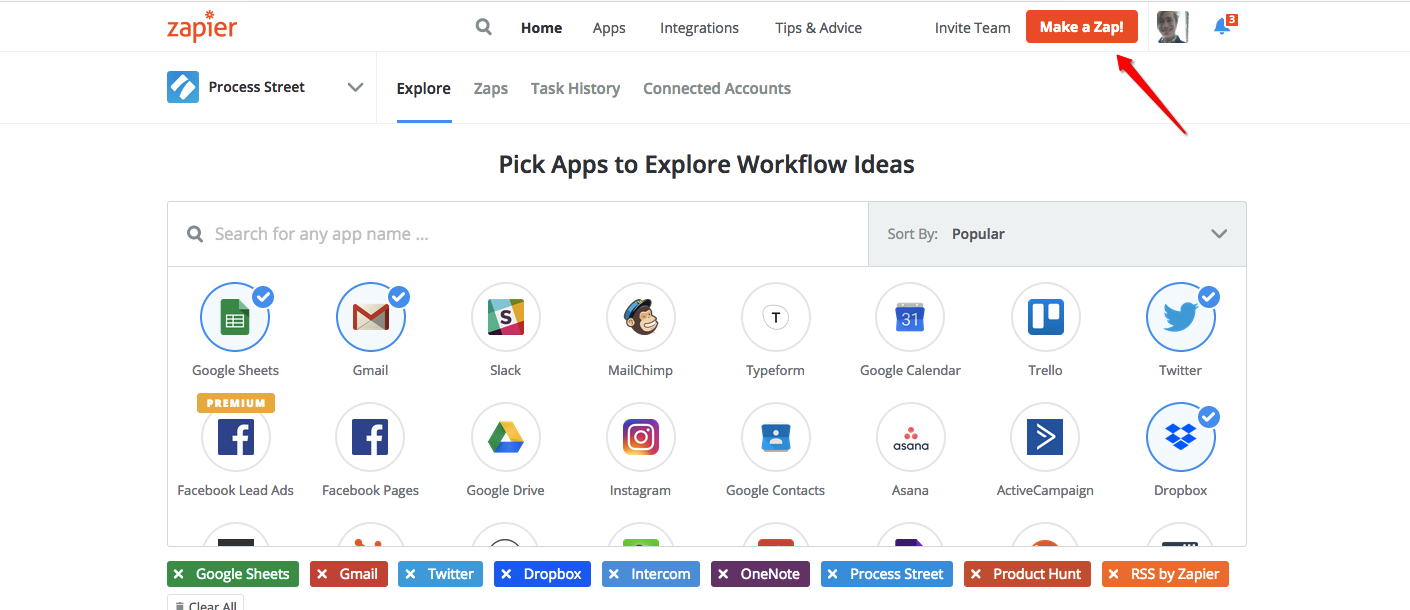
Go to Zapier’s homepage and create a free account if you don’t already have one. Then hit “make a zap!” from the dashboard.
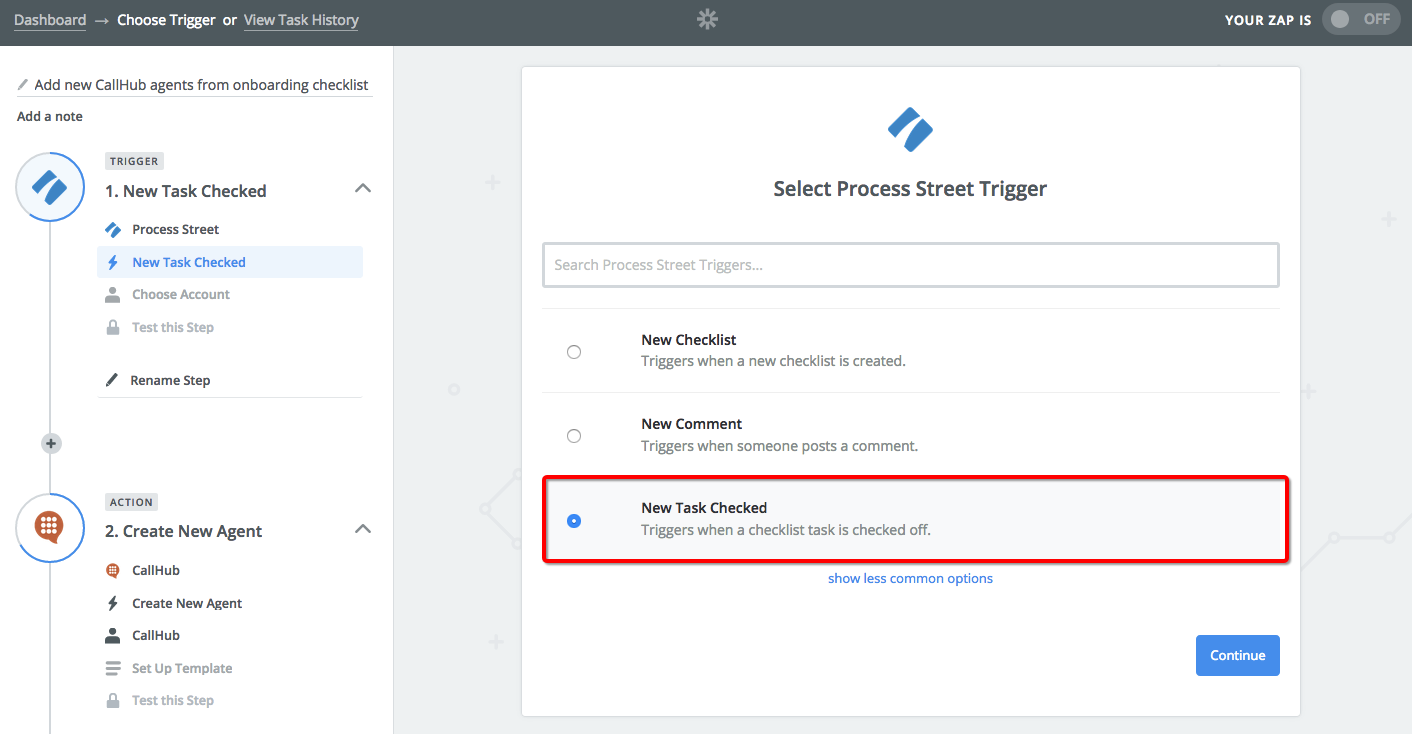
With Process Street selected as the trigger app, choose “New Task Checked” and hit continue.
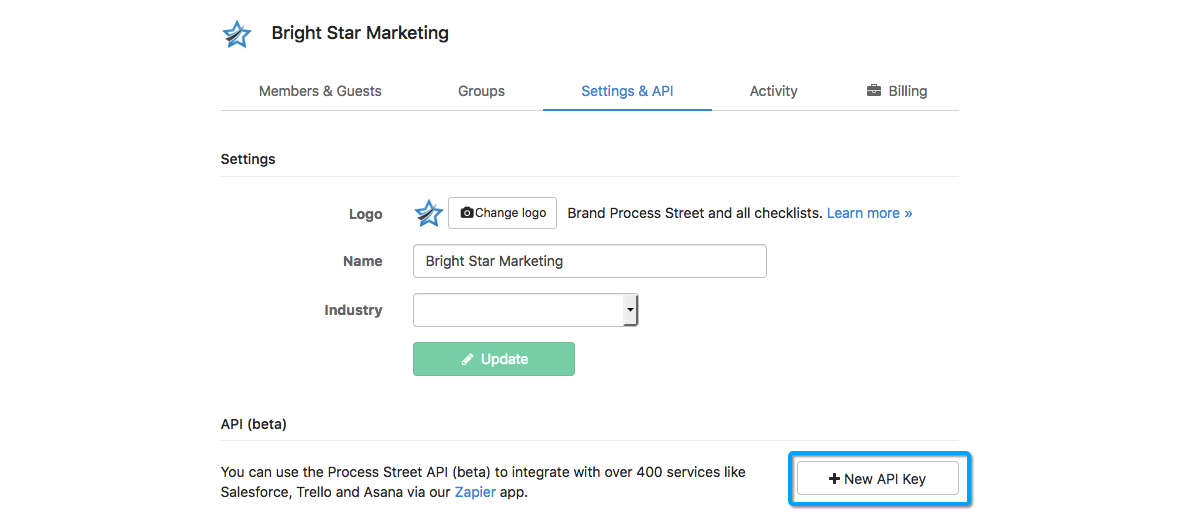
Next, you’ll be prompted to connect your account — get your API key from your organization’s settings in Process Street, and use it to add the account to Zapier in the next step.
Set the employee onboarding checklist as the template, and choose your CallHub user creation task as the task which will trigger the zap, like this:
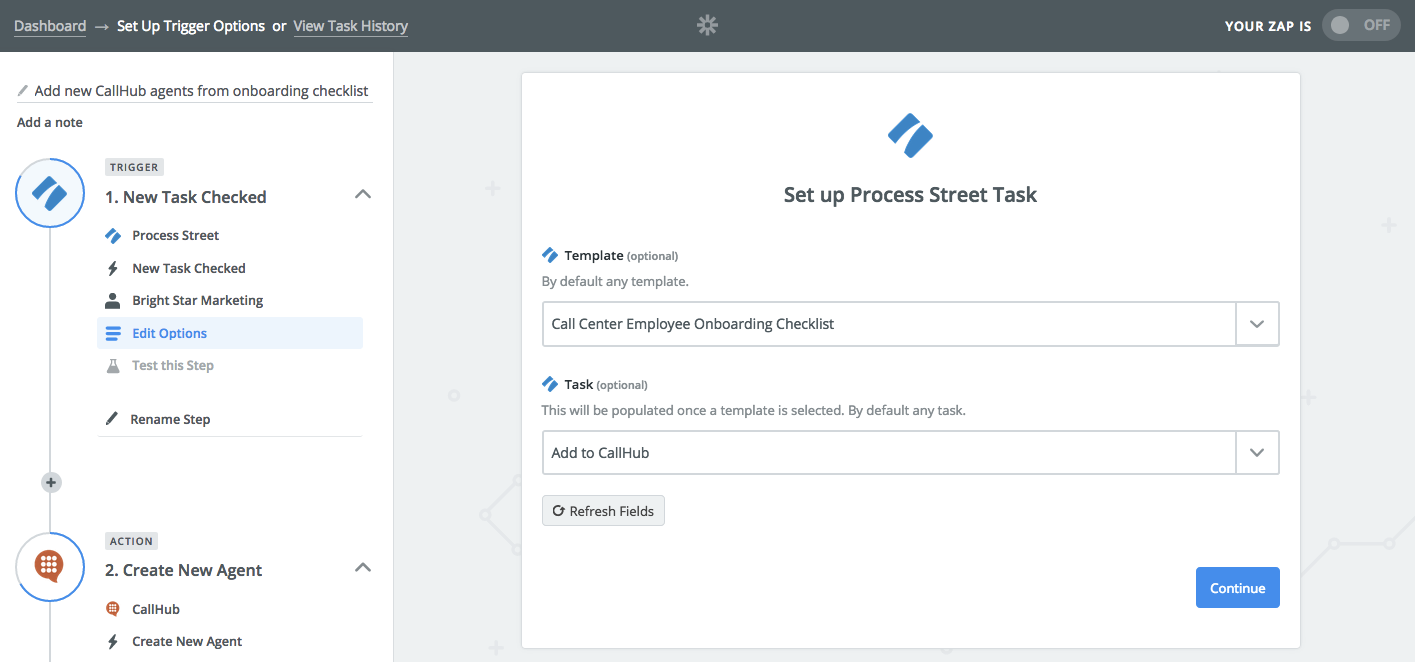
The next step will test whether you have a checklist that Zapier can use for example data. After that, it’s time to move on to the CallHub action.
Step two: set CallHub’s “create new agent” as the action in Zapier
In this step, we’ll use the data from the Process Street employee onboarding checklist to create a new agent in CallHub.
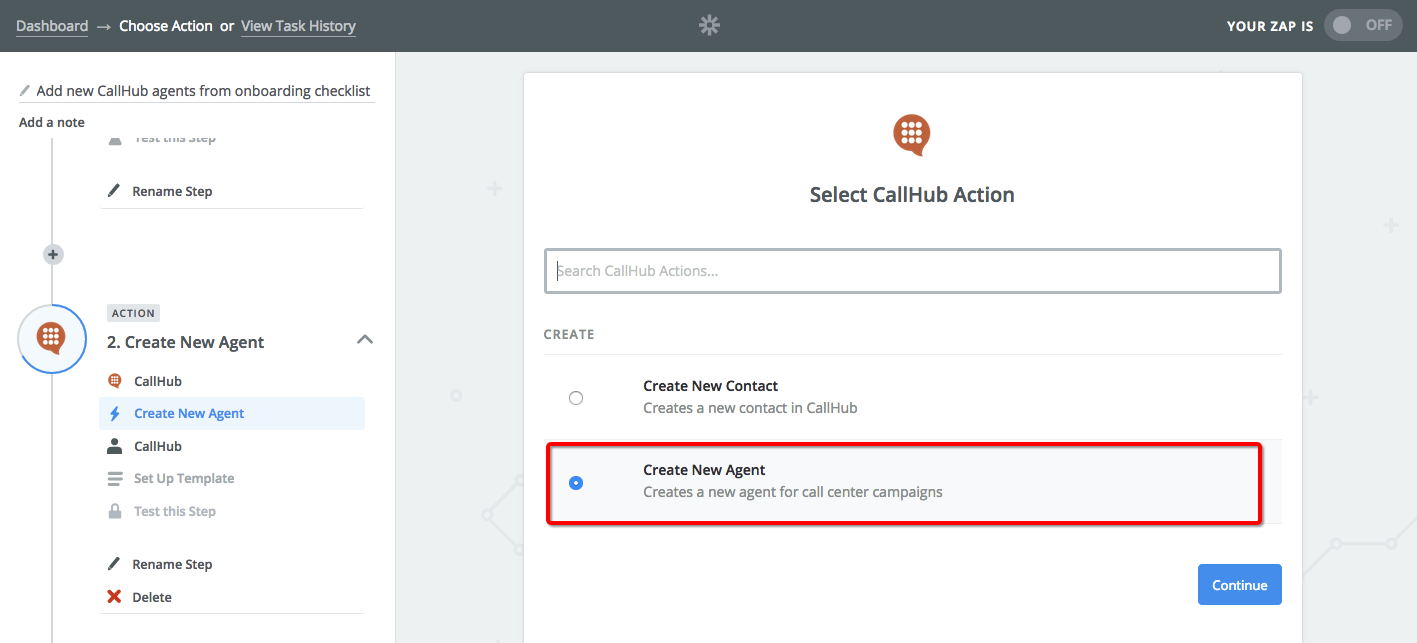
Start by selecting CallHub’s “Create New Agent” as the action in Zapier:
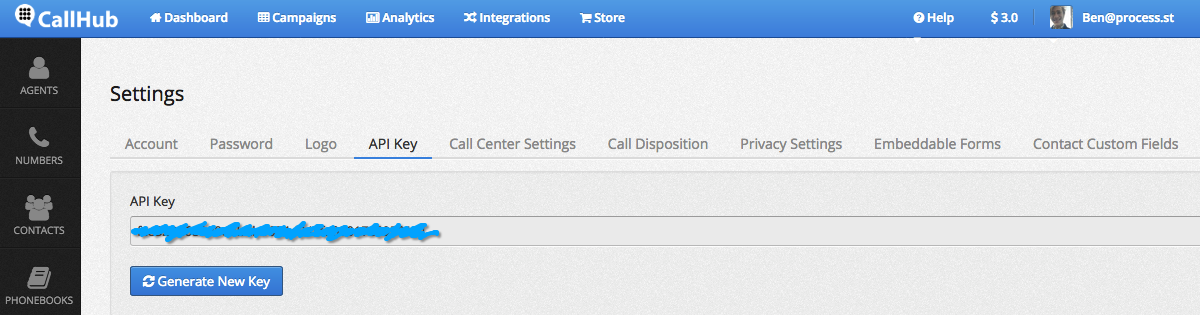
To link CallHub to Zapier, first get your API key from CallHub settings. You’ll need it in the next step when prompted to connect an account.
Here, you’ll connect Process Street’s form field variables to CallHub by using the highlighted button the right of the field:
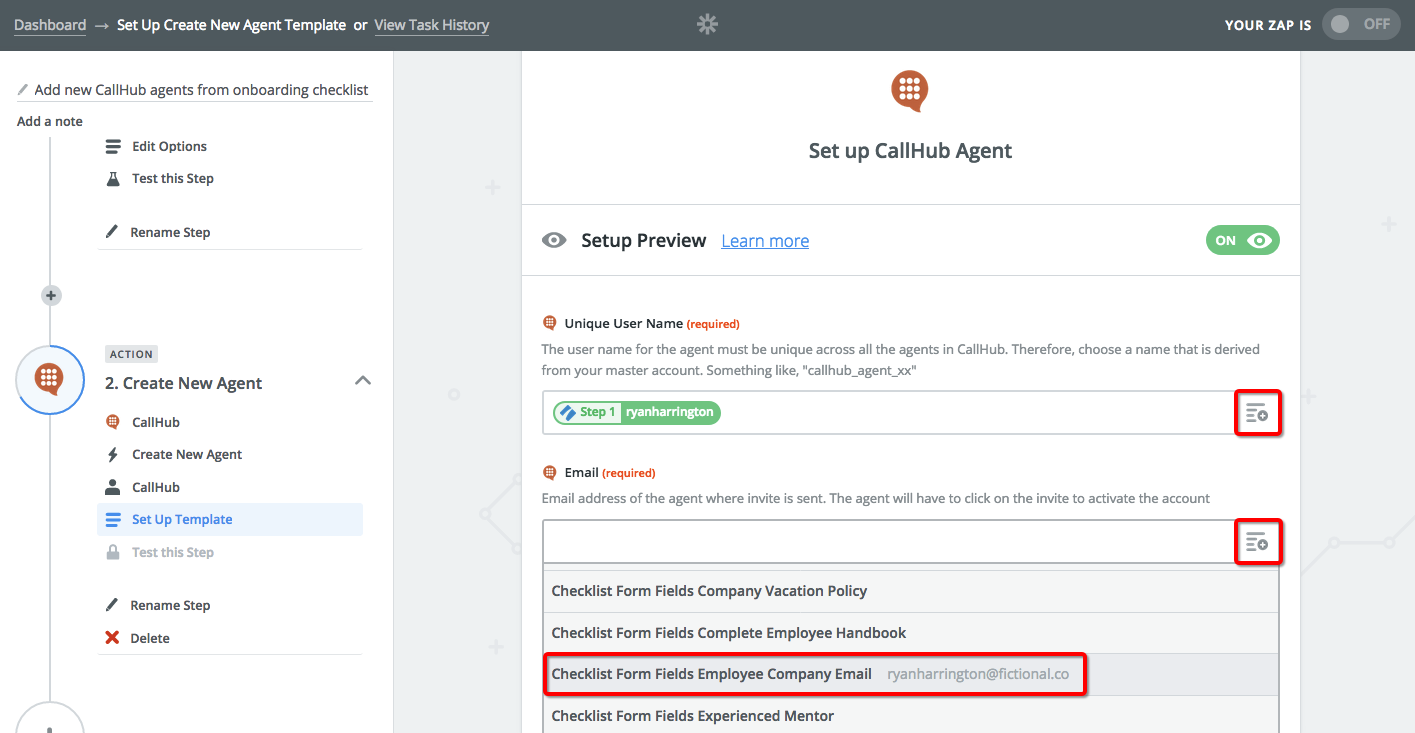
Whenever you enter information into these form fields, regardless of the employee you’re onboarding, Zapier will send that data to CallHub to create a new agent when you check off the specified task.
Once you’ve filled in those fields, all that’s left is to run the final test and check out your new automatically-created user in CallHub.
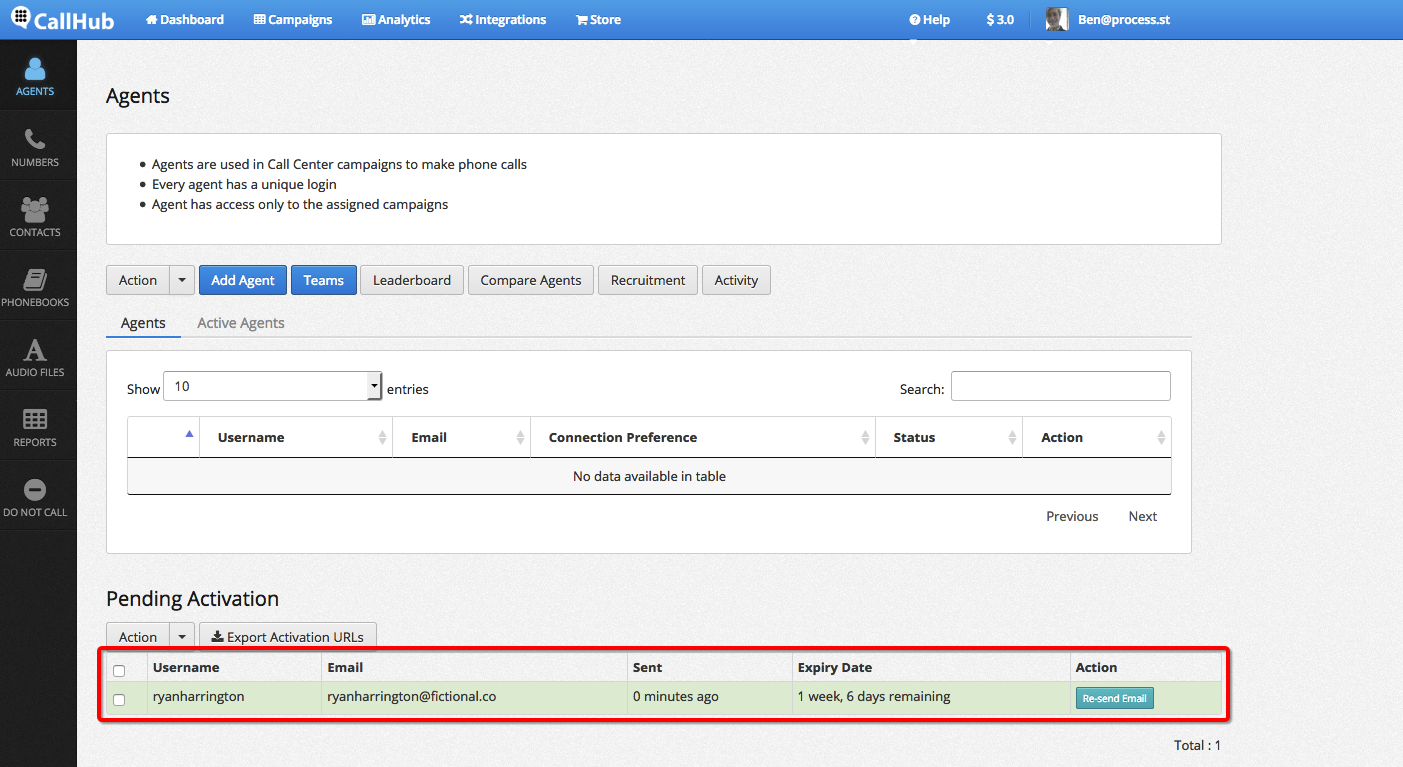
As you’ll see, the test has passed! The user will now get an email prompting them to activate their account.
This automated process is a real set-it-and-forget-it deal — you only have to set it up once, but when it’s done you can always be sure that you’re saving yourself the trouble of manually creating new agents.
Author: Benjamin Brandall
 Benjamin Brandall is a content marketer at Process Street, where he writes on startups, SaaS, and workflows to help businesses improve their systems. Find him on Twitter here.