


Recruit passionate, engaged volunteers while you track volunteer recruitment with clarity and precision.
They form the crux of political campaigns, going out into communities and making calls to voters to get people rooting for your candidate. Every political campaign needs a strategy to recruit these volunteers and make sure they do their part for the campaign. While your volunteers bring soul and energy to the campaign, effective volunteer management is crucial to ensure that your political campaign can recruit and get the best out of them.
A French Political campaign used CallHub to run their political calling campaigns for the 2017 French presidential elections. The campaign recruited more than 4000 agents from across the country of which more than 1500 volunteers were actively making calls to voters. In a span of 3 months, they reached more than 100,000 voters through CallHub.
CallHub analytics was pivotal to tracking volunteer recruitment, and performance of volunteers making calls.
The need to track volunteer recruitment
Political campaigns need to scale up or down in a matter of days. One week, you’ll need a handful of volunteers for voter id calls, and the next, you’ll need hundreds of volunteers for GOTV efforts.
Tracking volunteer recruitment keeps your recruitment initiatives aligned with calling requirements. If volunteer recruitment drives are not bearing fruit, you need to be aware of it at the earliest.
Analytics answers a few important questions for your political campaign:
- Are your recruitment drives bearing fruit?
- Do you have enough volunteers to meet calling requirements?
- Are recruited agents making enough calls?
- How are individual volunteers performing?
By answering these questions, CallHub Analytics keeps volunteer recruitment on track with political calling.
How monitoring is achieved through CallHub analytics
Agent recruitment
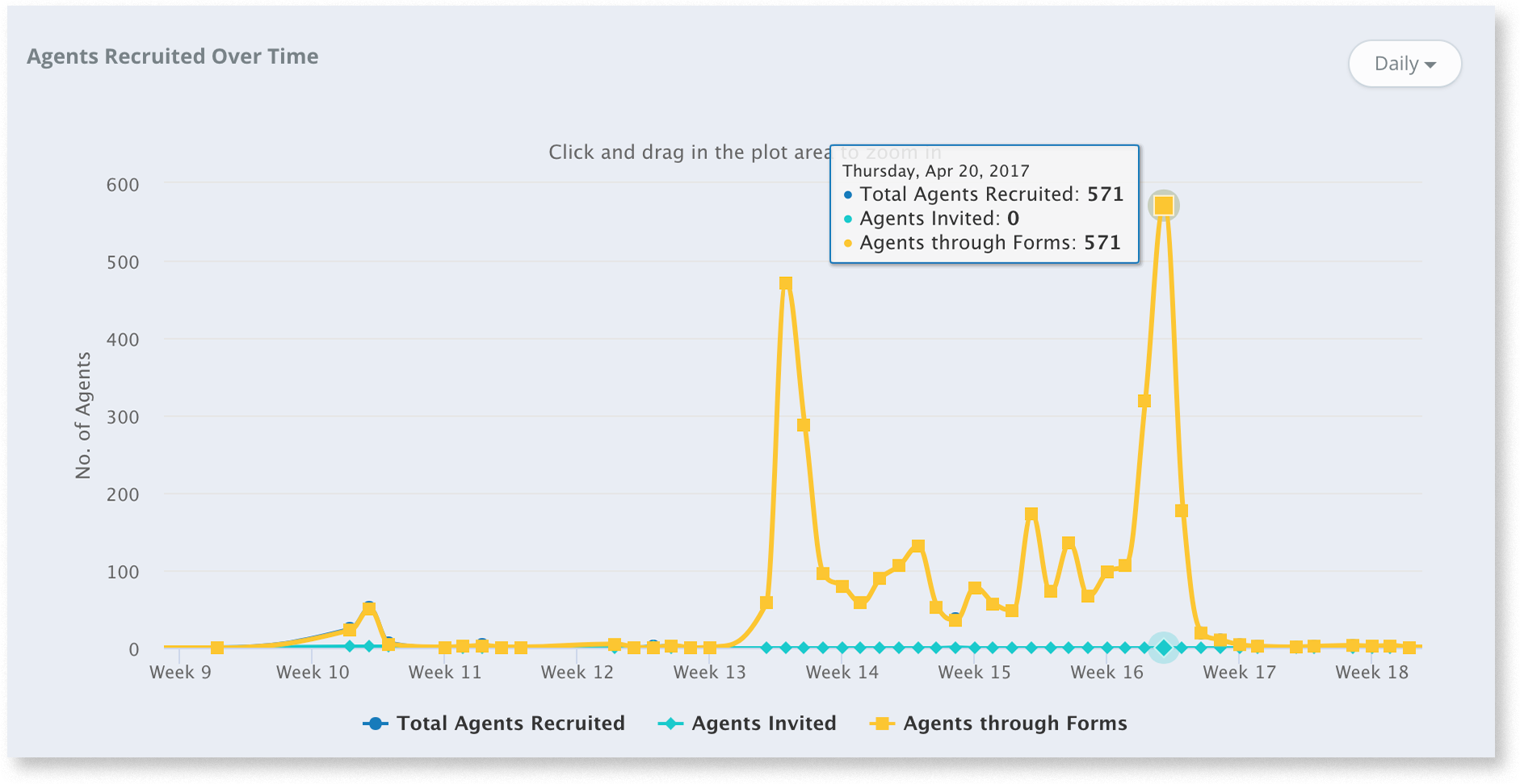
View the number of agents recruited over specific time frames. Have a big calling campaign this week? Check the graph to measure volunteer intake.
Agent activity to track volunteer recruitment
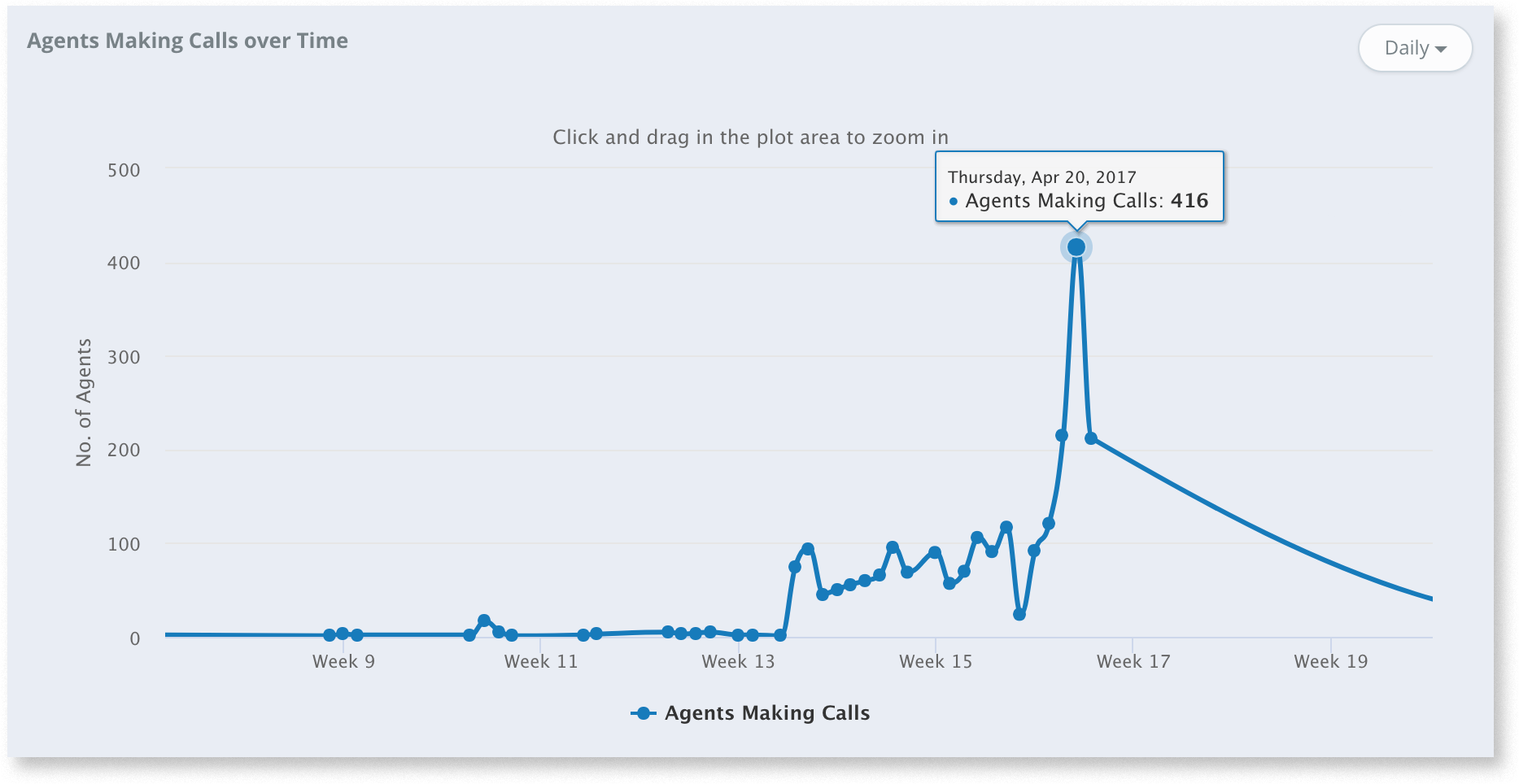
Make sure that volunteers are actively engaged in making calls. The graph shows you the number of volunteers making calls on each day of the campaign.
Leaderboards
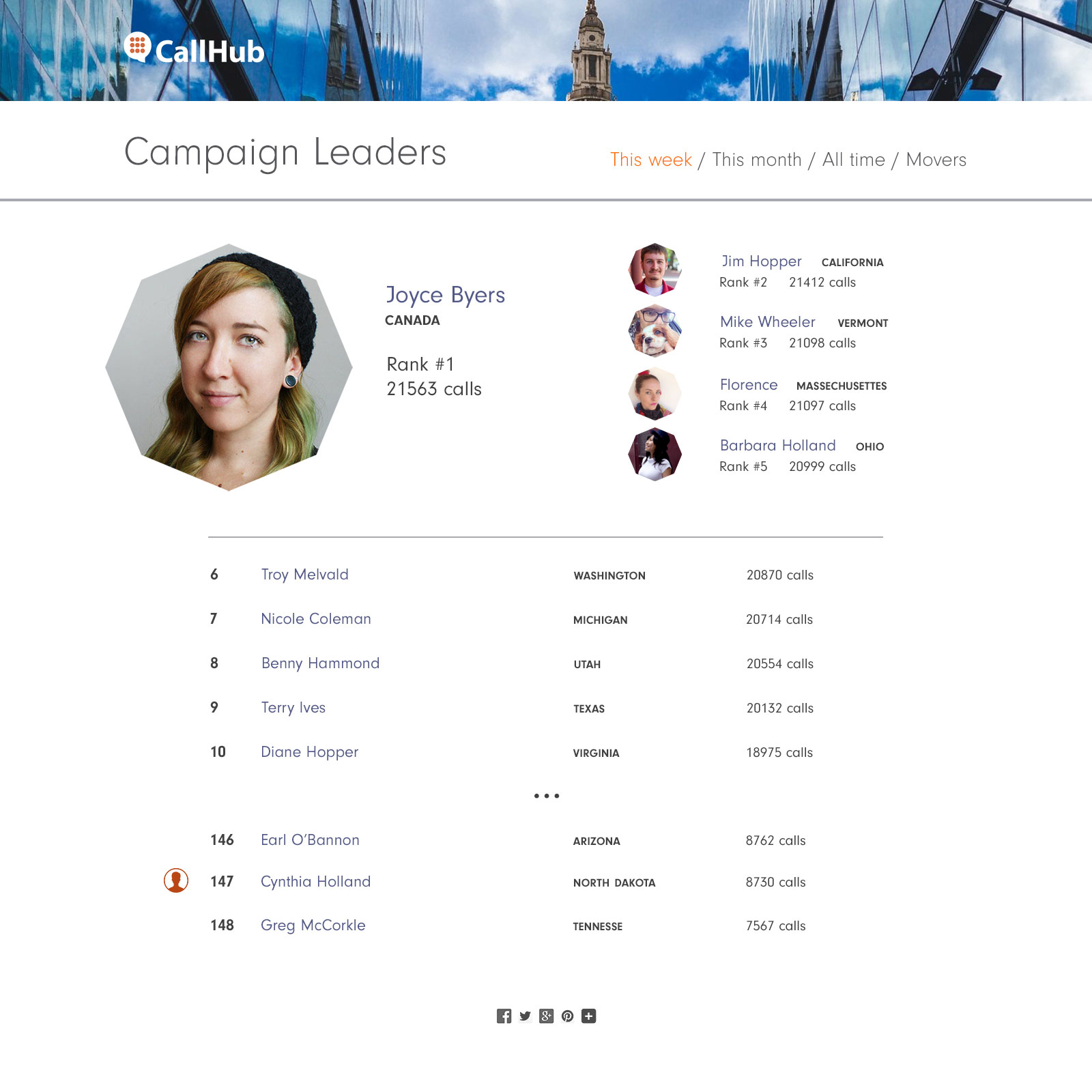
Pinpoint the people doing the most for your campaign. The leaderboard lists your volunteers with details on calls made by each individual. If you have Teams set up within CallHub, you can view their performance on the Team Leaderboards.
Agent comparison to track volunteer recruitment
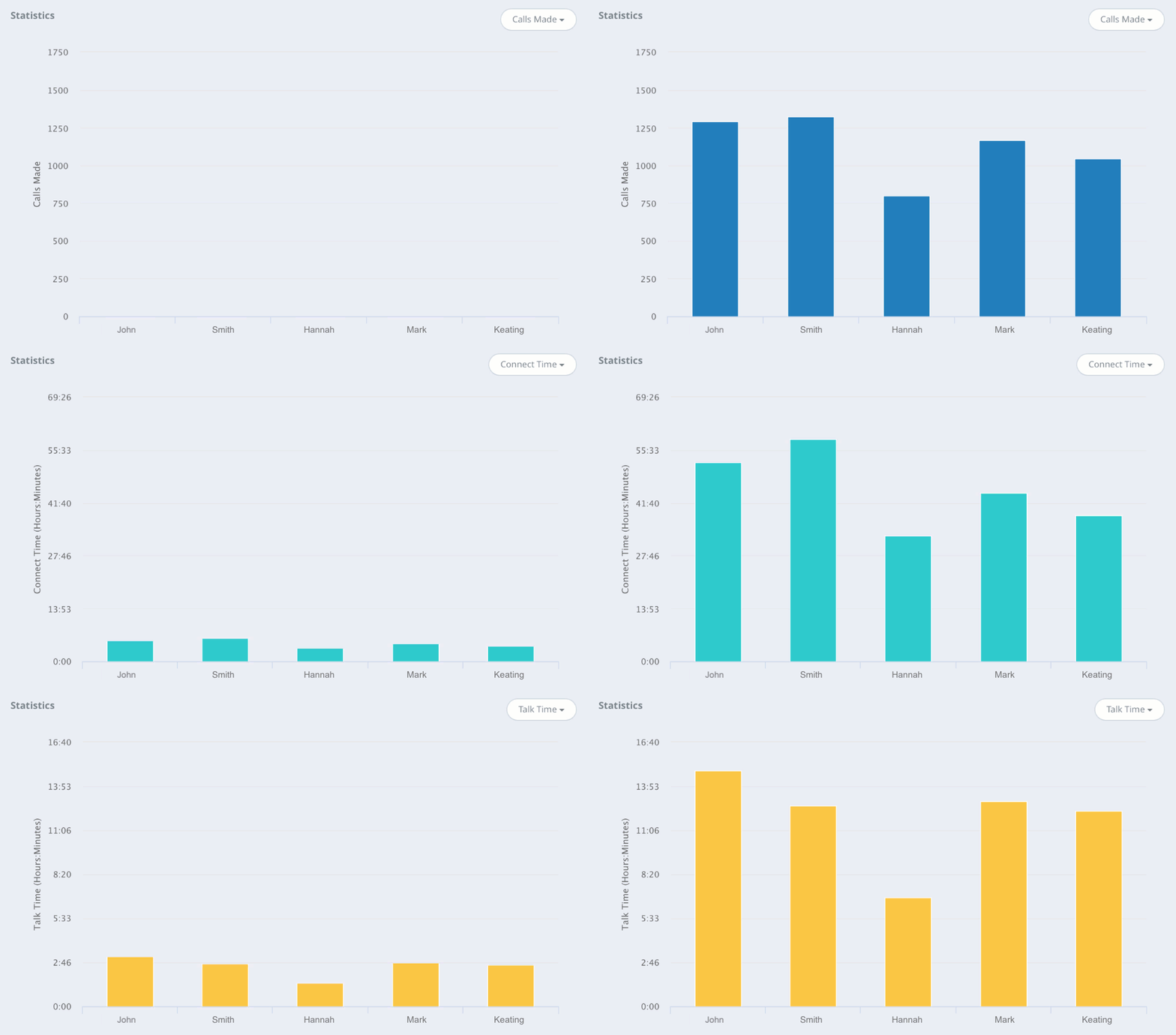
Compare the performance of individual agents. Some of your agents make a ton of calls while maintaining a low average talk time. Some other make few calls, spending a lot more time on each call. Analytics lets you monitor how each of your agents is making calls and helps you decide which strategy gives the best return for your political campaign.
Check out your campaign analytics right now and see how your campaigns are performing.
FAQs: Track volunteer recruitment
1. What is the best volunteer management software for nonprofits?
CallHub is one of the best volunteer management tools for nonprofits looking to track volunteer recruitment, communicate via calls and texts, and manage volunteers at scale.
Other popular options include VolunteerHub, Bloomerang Volunteer, Civic Champs, and VolunteerLocal.
2. What is the best free volunteer management software?
Free volunteer management tools are suitable for small teams or basic needs. Common options include:
- SignUpGenius
- Track It Forward
- Civic Champs (free plans), and
- Volgistics (trial options).
These tools offer limited features to fully track volunteer recruitment.
3. Where can I find Track Volunteer Recruitment reviews?
Reviews are available on platforms like G2, Capterra, and TrustRadius, where users compare volunteer recruitment tools based on usability, features, and support.
4. How do I log in to my volunteer page on CallHub?
Go to the CallHub login page, enter your registered email and password, and click Log In. If you’re a new volunteer, use the signup link shared by the organization and set your password from the activation email..