


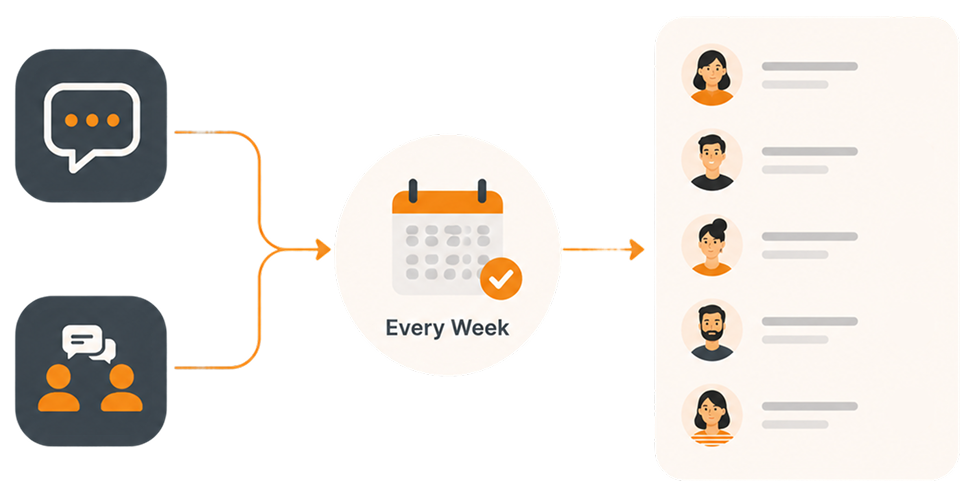
One campaign setup. Sends itself weekly, monthly, or on your schedule
Create a texting campaign once, connect it to a segment, and set a schedule daily, weekly, monthly, or custom. CallHub sends it automatically to an up-to-date list, so your team spends more time organizing and less time rebuilding campaigns.

Trusted by 200k campaign-organizing teams







THE PROBLEM
Today, your team rebuilds the same campaign every single cycle
If you're running weekly check-ins, daily reminders, or monthly donation requests, the busywork quietly eats hours every month and splinters your reporting across dozens of nearly identical campaigns.
Hours lost to repetitive setup
Organizers burn 3–5 hours per week recreating
campaigns instead of planning better outreach.

Stale or inaccurate lists
New members get missed, past members keep
getting texts, and opt-outs are harder to track
across dozens of clones.
Messy, splintered reporting
Performance data is scattered across nearly
identical campaigns, making it harder to see
trends over time or report to leadership.
THE SOLUTION
Create campaign once. CallHub sends it on schedule, every cycle.
Recurring Campaigns automate texting flows into scheduled campaigns. Set your schedule, attach a dynamic Segment, and CallHub manages everything for clean reporting.
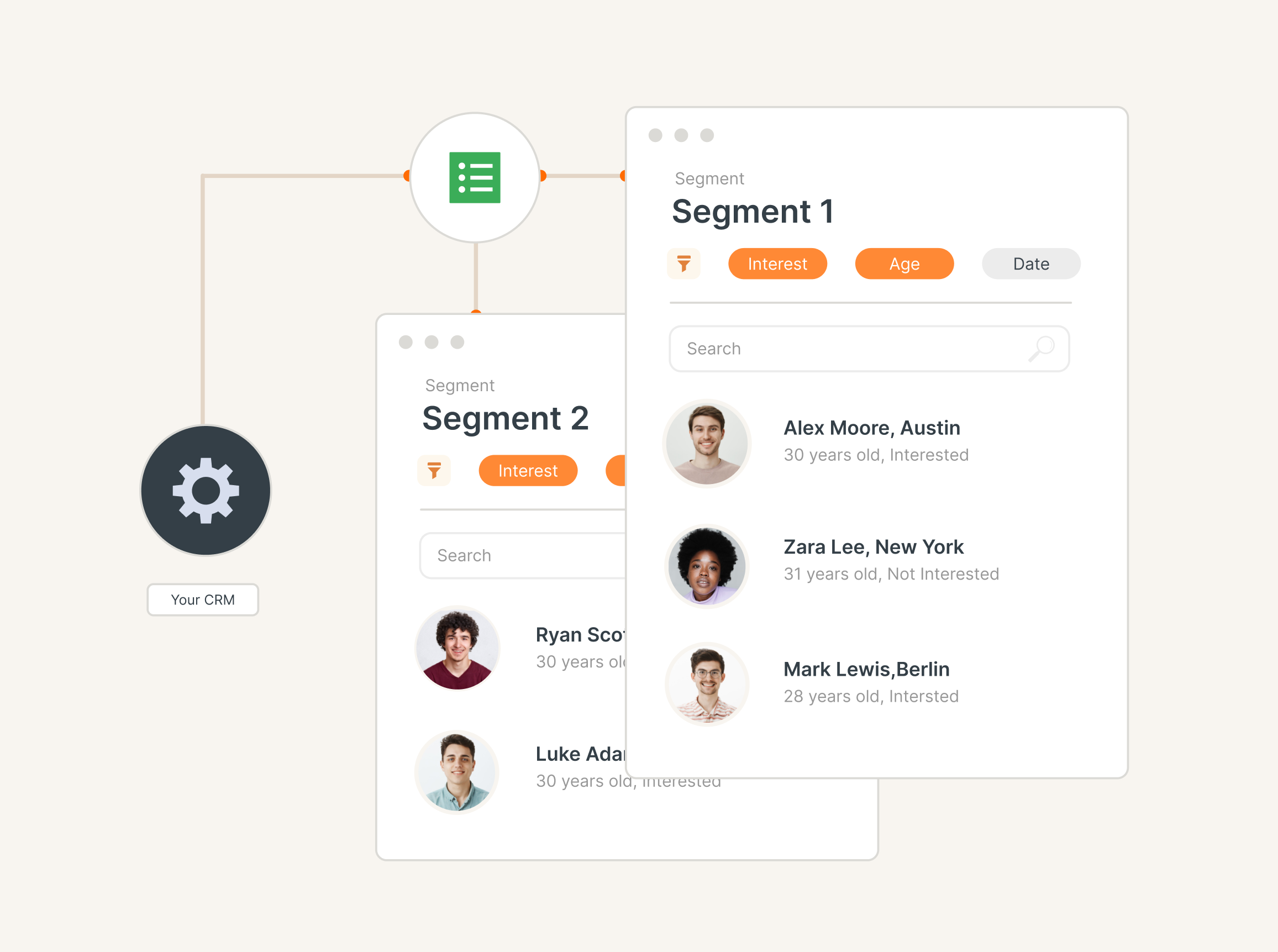
Segment-powered lists that update automatically
Before each occurrence, CallHub re- evaluates your Segment. New contacts who qualify are added. Contacts who no longer do are excluded and marked inactive. No CSV uploads. No manual list work.
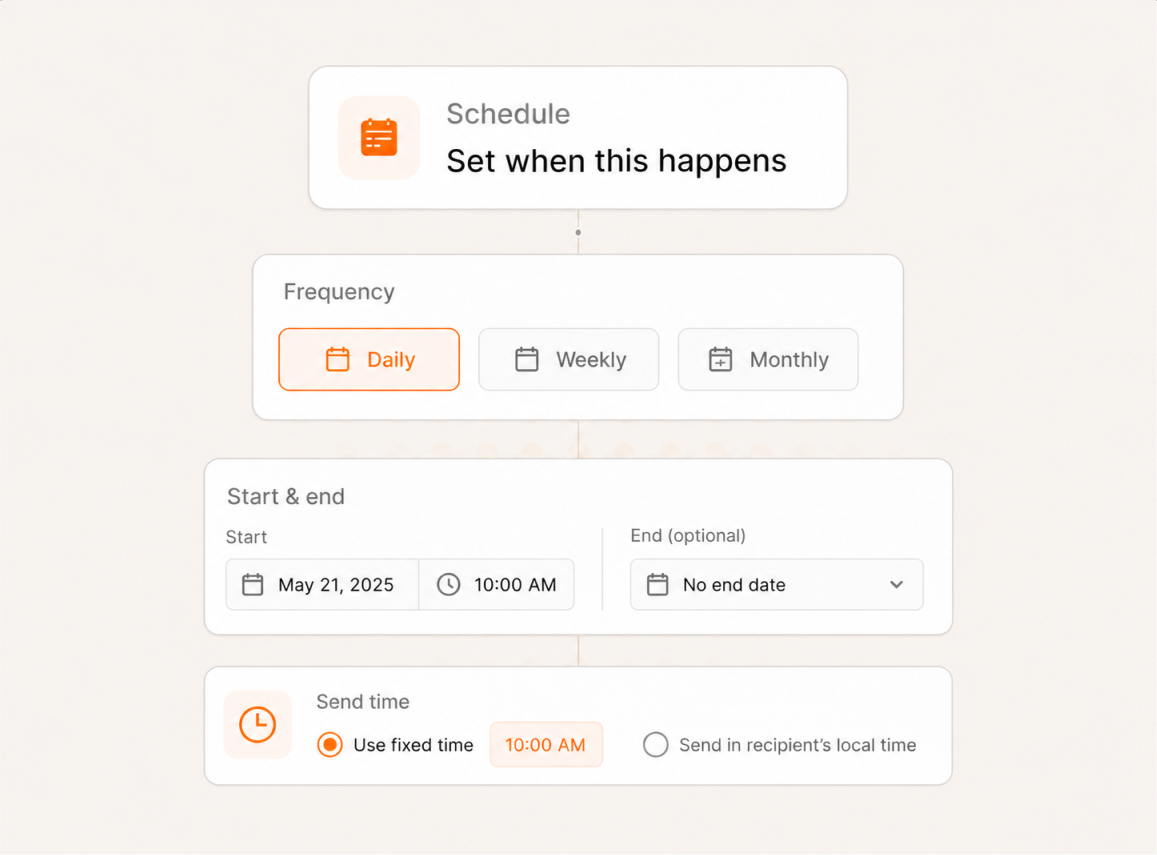
Flexible scheduling for every use case
Pick daily, weekly, monthly, or use custom cron-like patterns (e.g., “first Monday of the month”). Set start dates, optional end dates, or occurrence limits. Choose a fixed time zone or send in each contact’s local time.
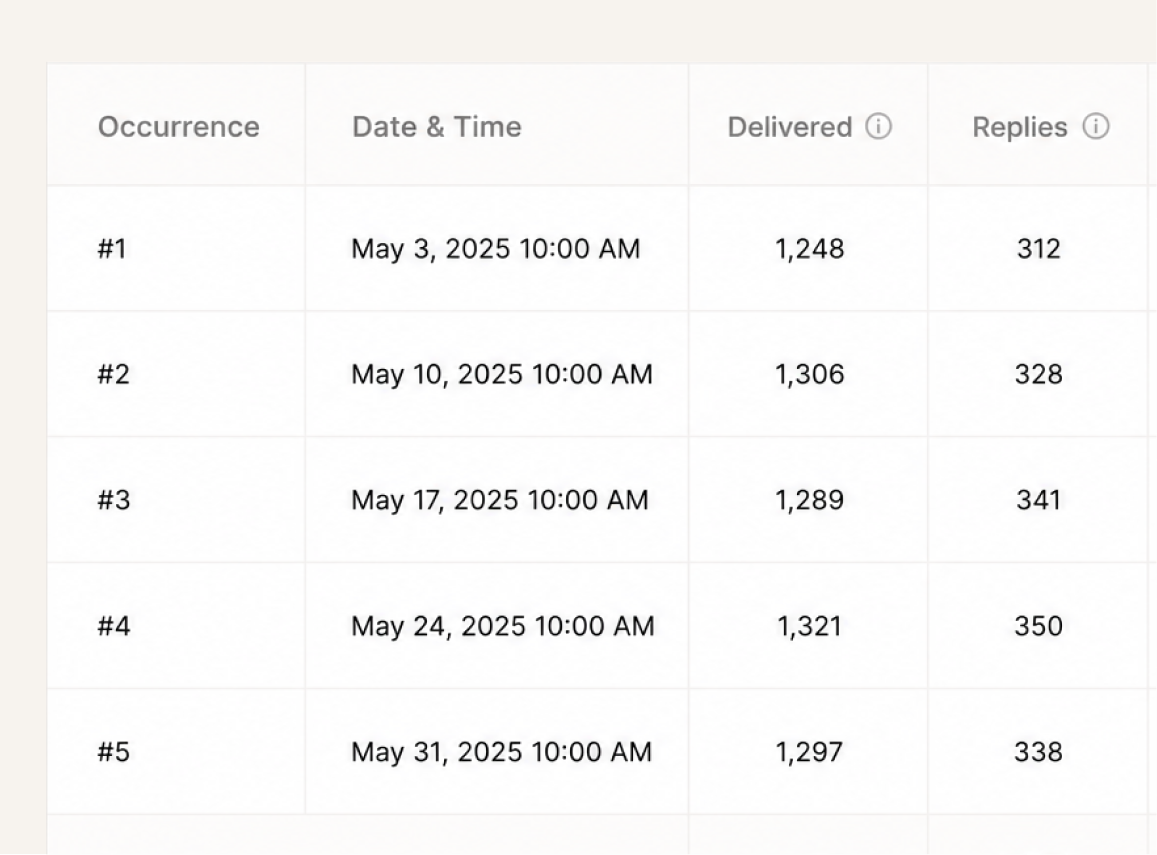
Clean, unified reporting
Every occurrence rolls up under a single campaign ID. View delivery, reply, and opt- out metrics across all sends without stitching together dozens of separate reports.
CAMPAIGN TYPES
What campaigns types does recurring support?

Text Broadcast

Peer-to-Peer Texting
HOW IT WORKS
Step 1:
Create the campaign once
Set up a Peer-to-Peer Texting or Text Broadcast campaign as usual: pick the script, phone number, and choose your contact source — either a contact list or a Segment. For the best results, use a Segment so your audience refreshes automatically before each send.
Step 2:
Turn on Recurring in the schedule step
Choose a repeat pattern — daily, weekly, monthly, or a custom cron-like cadence. Set the start time and end date.
Step 3:
Let the Segment refresh each cycle
Before each occurrence, CallHub re-evaluates your Segment. Newly eligible contacts are added, contacts who no longer match are inactivated, and opted-out contacts are excluded. No manual list work.
Step 4:
Review results under one campaign
Every occurrence rolls up under the same campaign ID. View delivery rates, response rates, and opt-out rates over weeks or months in one view — no stitching together reports from cloned campaigns.
USE CASE
Built for teams that send the same outreach every week, month, or cycle
If it happens on a regular cadence to the same or similar audience, your team is probably cloning a campaign every time. These are the workflows Recurring Campaigns replaces.
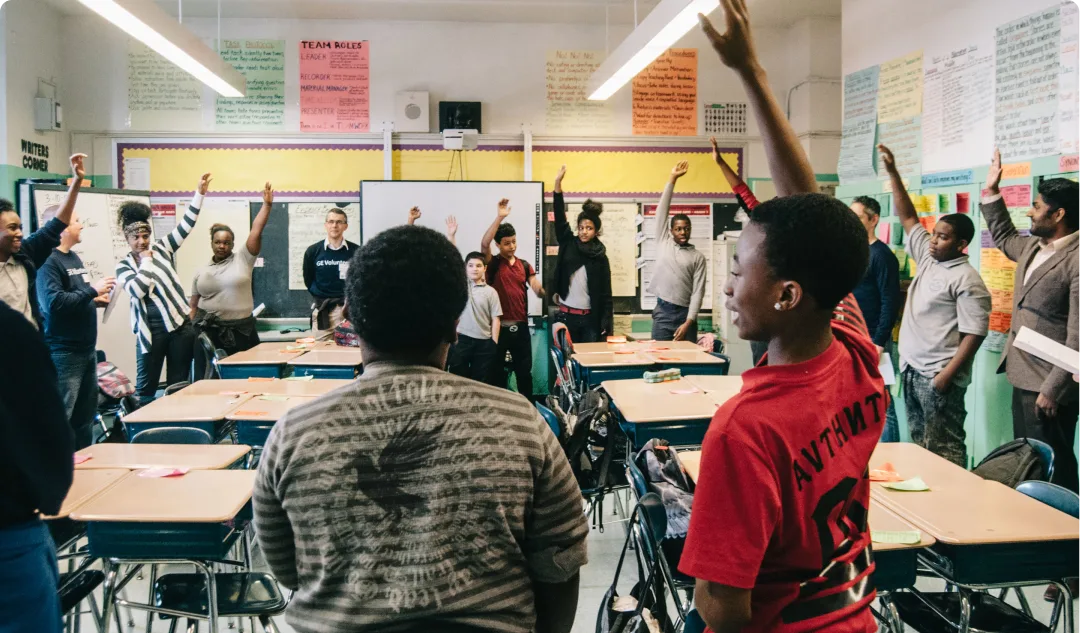
Unions
Volunteers are ready on Election Day. Score GOTV calls, flag script issues early, and onboard new volunteers quickly. Call quality can be the margin.
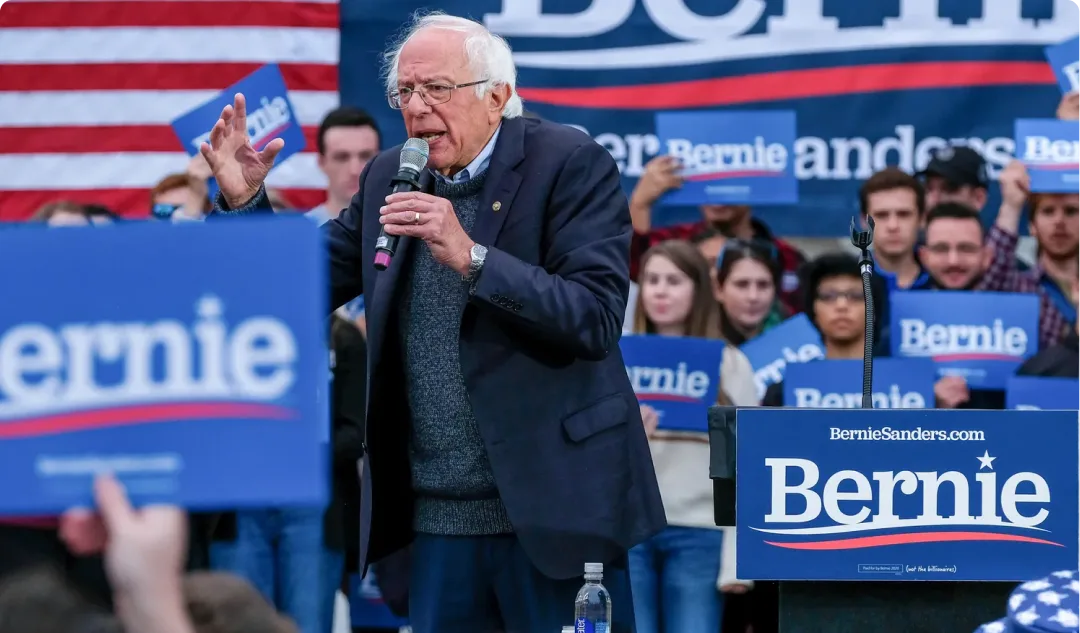
Political Groups
Consistent messaging when members are attentive. Train organizers on tough conversations beforehand. Set a pass threshold for scripts and ensure every caller is ready.
Nonprofits
Fundraising calls hinge on objections. Mock Calls for real donor scenarios, so agents can handle pushback beforehand. Score each ask and coach on improvements.
RESULTS
The numbers behind recurring texting campaigns
From union membership drives to GOTV series, here's what consistent, scheduled outreach delivers.
3-5 hrs/week saved
Source: CallHub customer benchmarks from high-frequency accounts (SEIU 503, IATSE locals).
1 campaign, not 52 clones
A weekly recurring campaign runs 52 times a year under a single campaign ID. That’s 52 campaigns you no longer need to clone, QA, and stitch together for reporting.
TESTIMONIALS
Hear it from the field

“A lot of our folks are volunteers, a lot of them are retired, they are often anxious with technology … It’s empowering for volunteers who don’t see themselves as very tech-savvy to be able to pick [CallHub] and a new program and just use it!”

Celine Trojand
Organizing for Change

“When other platforms were struggling, CallHub was a trusted partner who could easily scale up quickly when needed… from texting 5 people to calling 5 million, we could trust CallHub.”

John Robinson
Bernie 2020

“CallHub is my go-to platform for affordable phone canvassing, voice broadcasts, and text message blasts. The text message blasts are the most useful tool for volunteer mobilization.”

John Roche
Green Party of Prince Edward Island
“We can make calls at about 5x the rate that we would with a manual dialer, getting through a list of 100 calls in just over an hour. This has been a huge capacity saver in our organization.”

Amanda Destefano
United Workers Union
“Nationbuilder integration is awesome, particularly for SMS and for making calls to recruit volunteers. The development team is very responsive to questions and feature requests, too.”

Django Merope Synge
GetUp
Ready to stop cloning campaigns every week?
Set up your first recurring campaign in minutes. One campaign, one schedule, one clean report — every cycle, automatically.
SECURITY BUILT IN
Certified to keep your campaigns safe


FAQs
What types of texting campaigns support recurrence?
Both Peer-to-Peer Texting and Text Broadcast campaigns can be set to recurring. P2P campaigns let agents continue conversations in Chats after the initial send, while Text Broadcast campaigns handle one-way messages like reminders and alerts
Do I need to upload a new contact list before each send?
Not if you use Segments. When a recurring campaign is powered by a Segment, the list re-evaluates automatically before each occurrence — newly eligible contacts are added and those who no longer match are excluded. If you use a static contact list instead, the same contacts receive the message each cycle unless you update the list manually between sends.
Can I use Contact lists with Recurring Campaigns?
Yes. Recurring Campaigns support both contact lists and Segments. You can attach a static contact list or a dynamic Segment to your recurring campaign. That said, Segments are the more effective choice — they automatically refresh before each occurrence, adding newly eligible contacts and excluding those who no longer qualify. With a static contact list, the same contacts receive the message each cycle unless you update the list manually.
What happens if a contact opts out between occurrences?
Contacts who reply STOP are automatically excluded from all future occurrences. Opt-out handling is built into every recurring campaign.
Can I pause or stop a recurring campaign without losing past data?
Yes. Pausing or stopping only affects future occurrences. All past send data, response rates, and conversation history remain intact. When resumed, missed occurrences are never sent retroactively — only future sends fire.
How is reporting handled?
Every occurrence rolls up under a single campaign, so you can track delivery rates, response rates, and engagement trends over weeks or months in one view. No need to stitch together reports from cloned campaigns.
How do time zones work?
You choose during setup. CallHub can either use a fixed campaign time zone or send in each contact’s local time automatically, so messages land in the intended local window.
What if I change my Segment between sends?
Future sends automatically follow the updated rules. On each recurrence, CallHub re-evaluates the Segment — newly eligible contacts are added, and contacts that no longer qualify are excluded.
Can I combine recurring texts with calls or emails?
Yes, through CallHub Workflows. You can set up a Workflow that triggers a call or email if a contact doesn’t reply after a recurring text. Recurring Campaigns handles the scheduled sends; Workflows handles conditional follow-ups across channels.
Does this work with our CRM?
CallHub integrates with Salesforce, NationBuilder, NGP VAN, and Action Network. Contact data syncs in, and campaign results sync back out. Segments and contact lists both can pull from synced CRM data so your lists are always fresh.