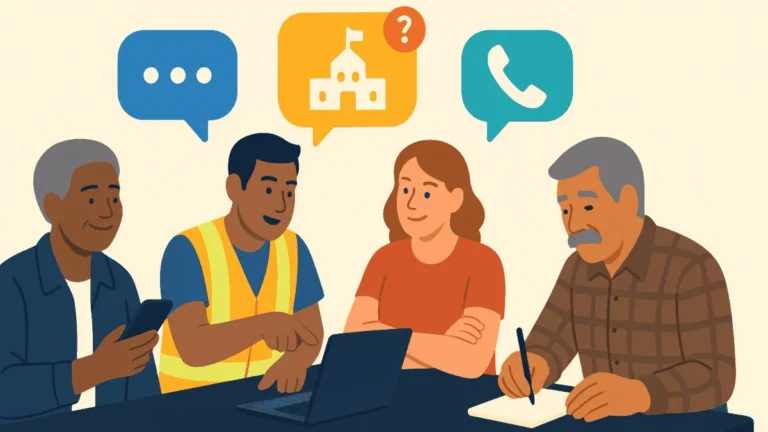



Your volunteers are in six different states. Some are logging in from a kitchen table in Ohio, some from a coffee shop in Arizona. None of them has a paper list. None of them is sitting in your campaign office.
That is the reality most campaign managers are running against right now. The coordination problems it creates are predictable:
- Volunteers calling from personal phones with no script visibility
- Call outcomes that never make it back to the voter file
- A field director who has no idea what is happening until the session is already over
A virtual phone bank solves all three. But only if you set it up correctly. This guide covers the tools you need, the step-by-step setup process, how to train remote volunteers, and how to track a session while it runs. No single platform is required. The framework works regardless of which software your campaign uses.
Key Takeaways
A virtual phone bank is a cloud-based system that lets volunteers make campaign calls from any location, pulling contacts from a queue, displaying a script on screen, and logging outcomes that sync back to the voter file or CRM in real time.
Problems it solves
- Volunteers dialing from personal phones across different locations typically have no script visibility and no paper list to work from.
- Call outcomes often never make it back into the voter file when volunteers work outside a shared system.
- Field directors usually have no idea what happened during a calling session until after it has already ended.
How it works
- When a session starts, the platform pulls the next contact from the queue and displays that person’s name, phone number, and relevant background information.
- The volunteer makes the call, follows the on-screen script, marks the outcome, and the platform automatically advances to the next contact while updating the shared system in real time.
What changes versus in-person phone banking
- Training has to move to asynchronous or remote formats, since no one can walk over to help a stuck volunteer, requiring briefing materials, a walkthrough video, and a clear escalation path.
- Accountability shifts entirely to the data, so managers need to know how to read the platform’s reporting dashboard and what to act on.
- Motivation requires deliberate effort because the energy of a shared room does not carry over to a remote session, so campaigns need specific tactics to keep volunteers engaged across a two-hour shift.
Software to evaluate
- Browser-based VoIP dialing is faster than manual dialing, keeps volunteer phone numbers private, and is required for high-volume programs.
- The script must display on the same screen as the call log, since toggling between tabs causes data entry errors.
- Branching scripts that adjust based on contact responses prevent volunteer confusion and reduce wrong dispositions.
- Reporting needs to update live in a session dashboard, since post-session exports are not sufficient for managing an active shift, and the platform should support two-way live CRM sync with systems like NGP VAN, NationBuilder, or Action Network.
Contact list preparation
- Lists must be scrubbed against do-not-call records so any suppressed number is removed before the campaign launches.
- Contacts need to be segmented by timezone, since TCPA rules require calls between 8:00 AM and 9:00 PM in the recipient’s local time.
- Records reached through another channel in the last 48 hours should be stripped out unless the program specifically requires multi-touch follow-up.
- A live CRM sync keeps the contact list updating in real time as the voter file changes, which matters most in the final weeks of a campaign.
Scripts, dispositions, and CRM integration
- Dispositions are the outcome labels volunteers apply to each call, and they should be designed before the script is written so every branch leads to the right one.
- A not-home disposition can trigger a callback tomorrow, a refused disposition should suppress the contact immediately, and a strong-supporter disposition should flow into the GOTV queue.
- Live CRM integration immediately tags a supporter who agrees to volunteer, updates the calling queue, and triggers automatic follow-up, which is what separates a modern virtual phone bank from a disconnected calling tool.
What is a virtual phone bank?
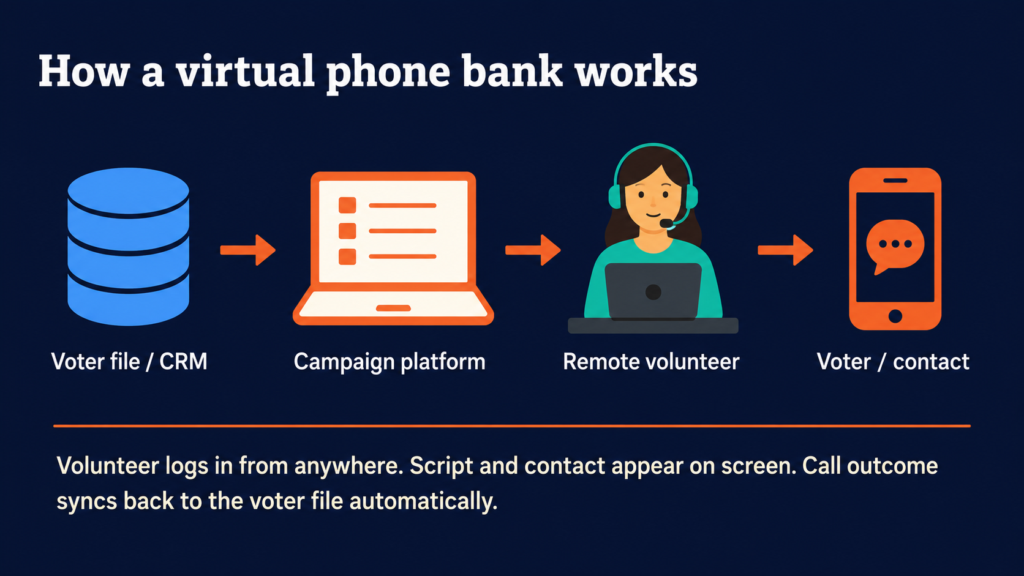
A virtual phone bank is a cloud-based system that lets volunteers make campaign calls from any location. Volunteers log in to a platform, receive a contact queue, follow a script on screen, and log call outcomes in real time. The data flows back to your voter file or CRM automatically.
The term is most common in political organizing contexts, where it often refers specifically to OpenVPB (Open Virtual Phone Bank), a tool available through NGP VAN. But any cloud-based calling platform that lets remote volunteers dial contacts from their own devices qualifies.
How a virtual phone bank works
When a volunteer starts a session, the platform pulls the next contact from the queue and displays that contact’s name, phone number, and any relevant background information. The volunteer makes the call, follows the on-screen script, marks the outcome, and the platform moves to the next contact automatically.
The key difference from a traditional phone bank: no one needs to be in the same room. The data updates in a shared system in real time.
Virtual vs. in-person phone banking: what changes
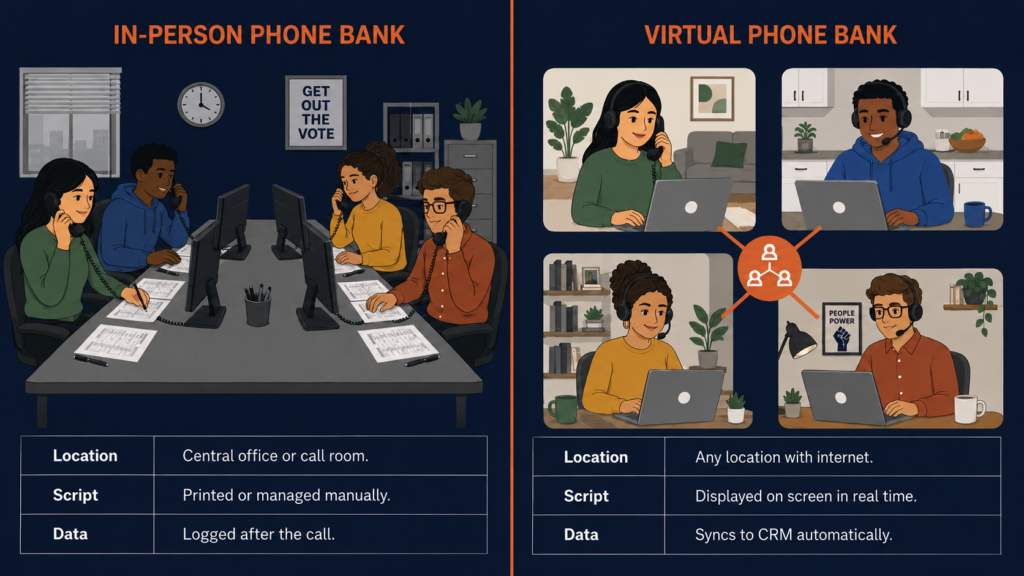
The core work is identical. What changes is everything around it:
- Training must be asynchronous or remote. You cannot walk over to a volunteer who is stuck. You need briefing materials, a walkthrough video, and a clear escalation path.
- Accountability shifts to the data. Your only visibility is the platform’s reporting dashboard. You need to know how to read it and what to act on.
- Motivation requires deliberate effort. The energy of a shared room does not transfer to a Zoom call. You need different tactics to keep remote volunteers engaged across a two-hour shift.
None of these are arguments against virtual phone banking. They are things to plan for.
What you need to run a virtual phone bank
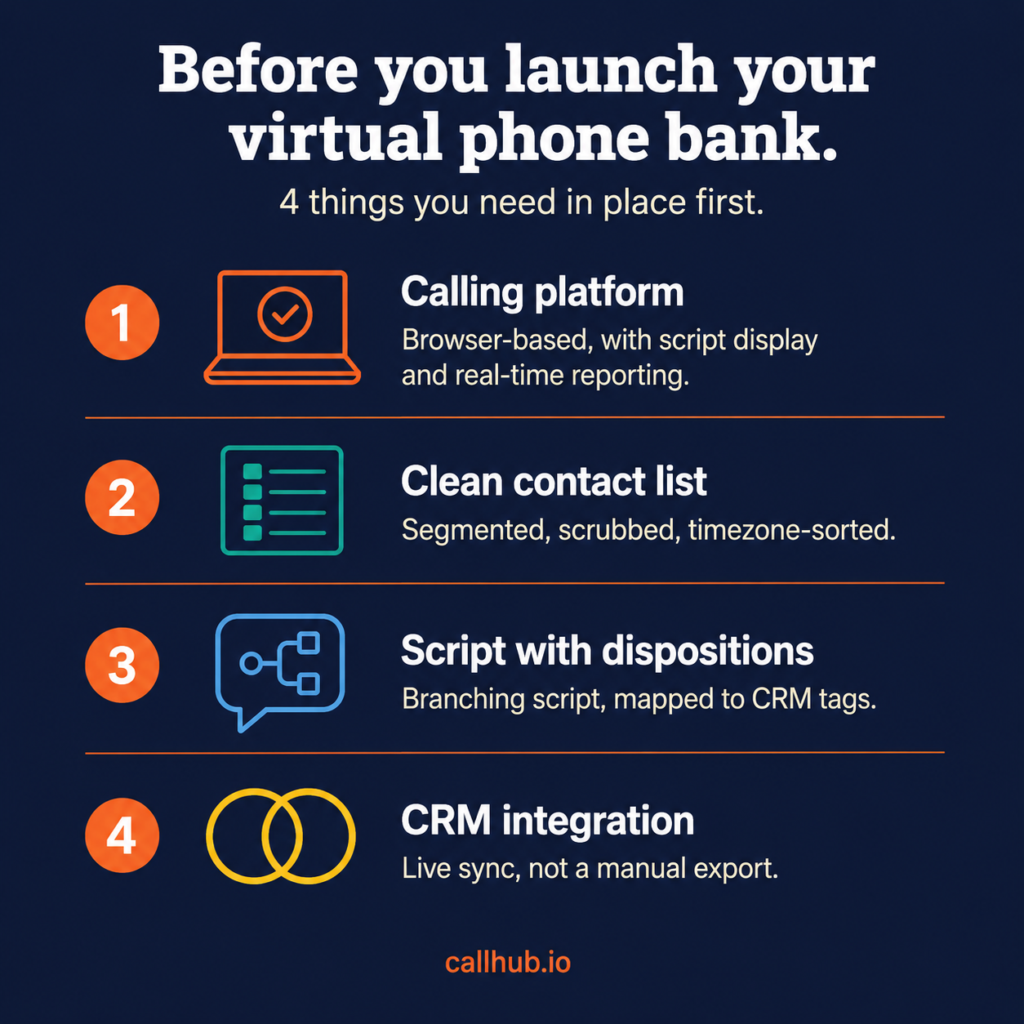
You need four things in place before you invite a single volunteer. Get any of these wrong and the rest of the setup will not matter:
- The right calling software with browser-based dialing, script display, real-time reporting, and CRM sync
- A clean, segmented contact list scrubbed against your do-not-call records and sorted by timezone
- A script with configured dispositions designed before the first volunteer logs in
- A live CRM integration not a manual export at the end of the session
The software (and what to look for)
Here is the framework for evaluating any platform you are considering:
| Feature to evaluate | Why it matters |
| Dial method | Browser-based VoIP is faster than manual dial and keeps volunteer numbers private. Required for high-volume programs. |
| Script display | Script must appear on the same screen as the call log. Toggling between tabs causes data entry errors. |
| Branching scripts | Branches based on contact responses prevent volunteers from getting confused and reduce wrong dispositions. |
| Real-time reporting | Session dashboard must update live. Post-session exports are not sufficient for managing an active shift. |
| CRM sync | Two-way live sync with your voter file (not a manual export). NGP VAN, NationBuilder, and Action Network are the most common for political programs. |
For political campaigns, the most common CRM connections are NGP VAN, NationBuilder, and Action Network. Confirm that the platform you choose supports yours before committing.
Your contact list and voter file
The quality of your contact list determines the ceiling on your contact rate. A well-segmented, recently cleaned list will consistently outperform a larger but stale one. Before uploading, run three checks:
- Scrub against do-not-call records. Any number on your DNC list should be suppressed before the campaign launches.
- Segment by timezone. Volunteers must not call supporters in Florida at 7:00 AM Pacific time. TCPA requires calls between 8:00 AM and 9:00 PM in the recipient’s local time.
- Remove recently contacted records. Strip any contact reached through another channel in the last 48 hours unless your program requires multi-touch follow-up.
Some platforms support a live CRM sync, which means the contact list updates in real time as your voter file changes. That matters especially in the final weeks of a campaign.
Scripts and call dispositions
Your script has two jobs: tell the volunteer what to say and make it easy to log what happens. Most campaigns underinvest in the second one.
Dispositions are the outcome labels volunteers apply to each call. The categories drive what happens next:
- “Not home” may get called again tomorrow
- “Refused” should be suppressed immediately
- “Strong supporter” should flow into your GOTV queue
Design your dispositions before you write your script. Then write the script so each branch leads naturally to the right disposition. For script writing guidance, see CallHub’s complete guide to political phone banking.
CRM integration
Live CRM integration is what separates a modern virtual phone bank from a disconnected calling tool. With a live integration, a supporter who says they will volunteer gets tagged in your voter file immediately. The calling queue updates. Follow-up is triggered automatically.
Les Républicains, one of France’s major political parties, found that before using a platform with live CRM sync, “the data collected by the volunteers had to be manually entered into their database. This data entry job meant that any insights learned by the volunteers was not available to the party immediately.” That lag compounds over a long campaign.
For a detailed setup walkthrough, see the CallHub guide to NGP VAN phone banking integration.
How to set up your remote phone bank step by step
With your software chosen, list prepared, script drafted, and CRM connected, work through these five steps in order.
Step 1: Upload your contact list and configure targeting
Log in to your calling platform and create a new campaign. Upload your contact list as a CSV or trigger a live sync from your CRM. Configure:
- Timezone-based calling windows
- Geographic filters if relevant
- Suppression lists for contacts already reached this cycle
Set your calling hours to comply with TCPA regulations, which require calls between 8:00 AM and 9:00 PM in the recipient’s local time. Automated or predictive dialing to cell phones requires consent. Confirm compliance requirements with legal counsel before launching. See CallHub’s phone banking compliance guide for a full breakdown.
Step 2: Build your script and configure dispositions
Enter your script into the platform’s script editor. If the platform supports branching, map each branch before typing. The typical branch points are:
- Contact answered vs. did not answer
- Supporter vs. undecided vs. opposition
- Willing to commit vs. not
Set dispositions to match your campaign type. A voter ID campaign has different disposition needs than a GOTV campaign. Set these up before any volunteer logs in. Changing them mid-campaign creates inconsistencies in your reporting data.
Step 3: Set up your dialer (auto, power, or predictive)
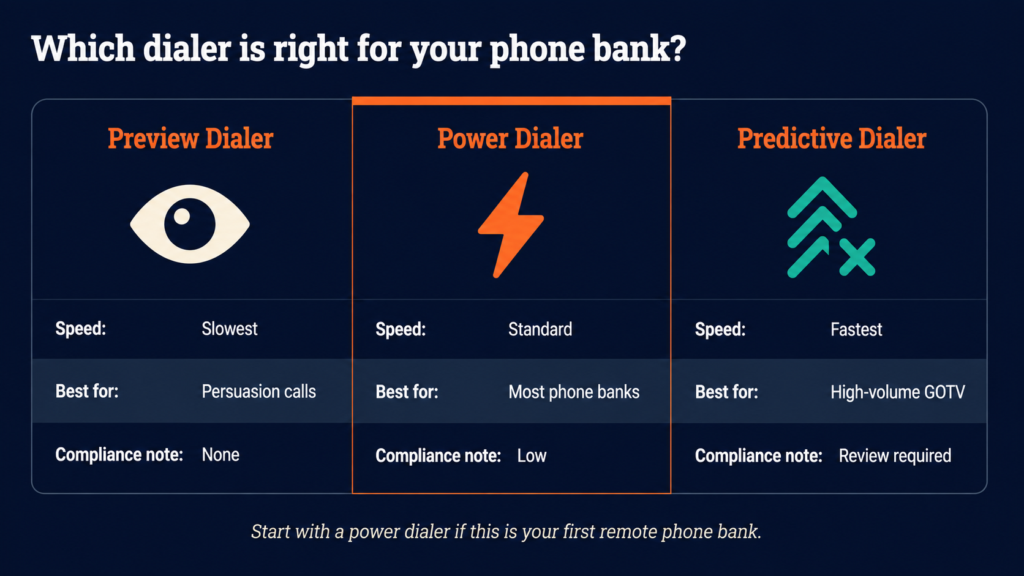
The dialer type you choose has the largest single impact on throughput. Here is how the three types compare:
| Preview dialer | Power dialer | Predictive dialer | |
| Speed | Slowest | Standard | Fastest |
| Best for | Persuasion calls | Most phone banks | High-volume GOTV |
| Compliance | None | Low | Review required |
| Recommended for first-time remote phone bank | No | Yes | No |
A nonprofit that organized over 500 volunteers to mobilize more than one million voters described predictive dialing this way: “Predictive Dialing means that our callers are utilized at optimum capacity but not overwhelmed. Its ability to adjust in real time based on answer rate helps us provide a consistent experience as we reach thousands of contacts at scale.”
Step 4: Add volunteers and share access links
Add volunteers by email address or generate a shareable access link they can use without creating an account. Before sending the link, confirm it:
- Opens the correct campaign
- Displays the correct script
- Connects to a live call queue
Send each volunteer four pieces of information before their shift: the login link, start time, shift duration, and who to contact if they hit a technical problem.
Step 5: Run a test session before going live
Run a 15-minute internal test with one or two staff members before your first real shift. Dial through five or six contacts and confirm:
- Script loads correctly
- Dispositions are logging to your CRM
- Reporting dashboard updates in real time
Finding a configuration error in a test session costs 15 minutes. Finding it mid-shift with 30 volunteers logged in costs the entire session.
Training remote volunteers for a phone bank
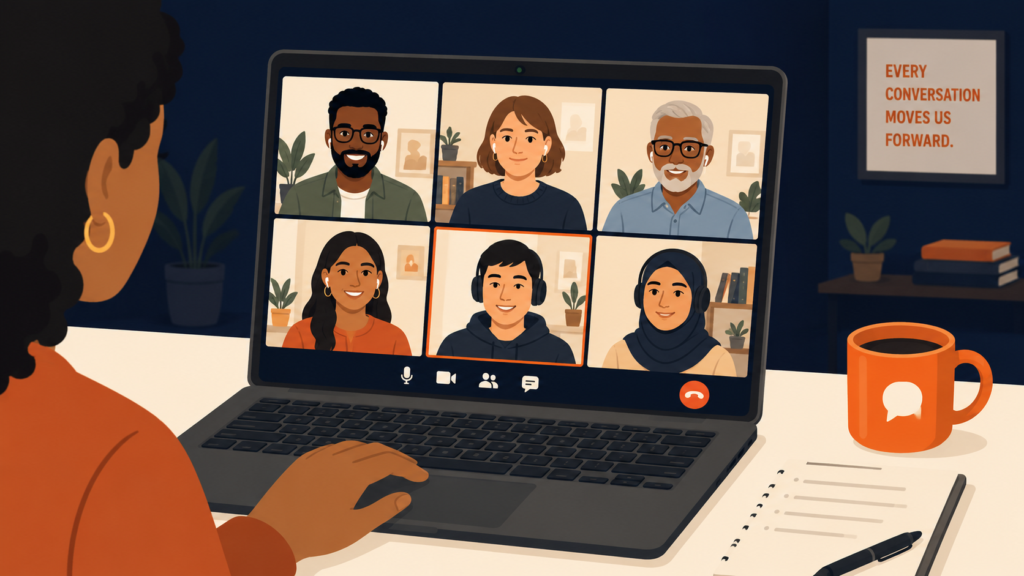
Volunteer training is where most virtual phone bank programs underinvest. A volunteer who does not know what to do when a contact gets hostile, or who cannot find the right disposition for an unusual outcome, is a data quality problem that compounds across every shift they work.
What to cover in a pre-shift briefing
Every volunteer needs a briefing before their first shift on a new campaign. A 10-minute walkthrough of five things is sufficient:
- The campaign goal. Voter ID, GOTV, fundraising, or volunteer recruitment? Volunteers make better judgment calls in edge cases when they understand the purpose.
- The script and how to navigate it. Walk through the branching structure. Show what the screen looks like for a strong supporter versus an undecided contact.
- The dispositions and what they mean. Wrong number is different from disconnected. Refused is different from not home. These distinctions affect your downstream targeting data.
- What to do if a contact is upset. Provide a clear protocol in writing: stay calm, acknowledge the concern, end abusive calls politely, log as refused.
- How to get help during the shift. A Slack channel, WhatsApp group, or phone number. Volunteers who cannot reach anyone will log off.
Running a virtual training session (Zoom and live demo)
For first-time volunteers, a live walkthrough over Zoom is worth 20 minutes. Run through this sequence:
- Share your screen and log in to the platform live.
- Show the contact queue and explain how it works.
- Walk through the script, including all branches.
- Make a practice call to a test contact and log the disposition.
- Answer questions before anyone goes live.
- Record the session so late joiners get the same walkthrough.
The NGP VAN guide to virtual phone banking notes that “if it’s a volunteer’s first time calling voters through a virtual phone bank, it’s best to meet with them via a video call or in-person training to show them how to use the software so you can set them up for success.” That observation holds regardless of which platform you use.
The Alain Juppé campaign’s deputy digital director put the training principle well: “Be as precise as possible with all the steps and reduce the steps as much as possible from when volunteers come on the website to making a call.” Every extra step in the login or calling workflow is a dropout risk.
Common volunteer questions and how to prep for them
The questions that slow down remote volunteers are predictable. Prepare written answers before the first shift:
| Question | What to tell volunteers |
| What if no one is answering? | A 30–50% contact rate is normal for a well-managed list. The platform keeps moving automatically. Nothing to change. |
| What if I say the wrong thing? | The script is a guide, not a contract. Stay close to it on the key ask. A real conversation beats a rigid read-through. |
| What if someone asks a question I can’t answer? | Log the call as ‘wants more information’ and move on. Campaign staff will follow up. Volunteers are not expected to know everything. |
| What if someone is rude or angry? | It is not personal. End the call politely and log it. The goal is not to win the argument. |
For more on preparing first-time volunteers, see CallHub’s guide on what to expect from your first phone banking shift.
Tracking and managing your remote phone bank in real time
Remotely, your only visibility is what the platform’s reporting dashboard shows you. This section covers what to look at, what the numbers mean, and what to do when something is off.
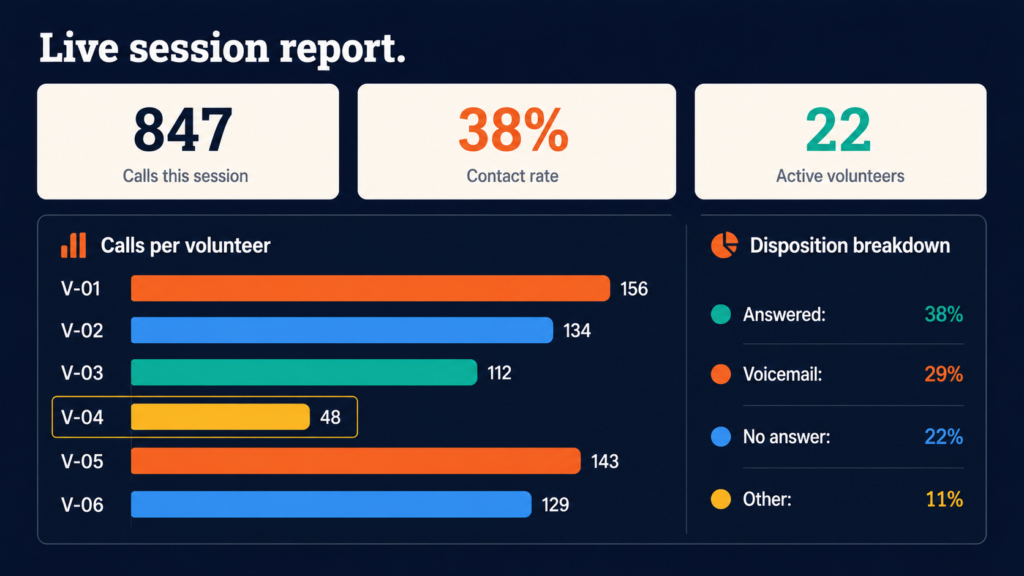
Metrics to watch during a live session
Keep your reporting dashboard open for the full duration of the session. Here is what to watch and when to act:
| Metric | Healthy range | What to do if off-target |
| Calls per hour / volunteer | 15–25 (power dialer) | Below this range: check for tech issues, inactivity, or dropped connection |
| Contact rate | 25–45% (clean list) | Below 20%: list quality problem, not a volunteer problem |
| Answering machine rate spikes | Watch for sudden jumps | Calling window has shifted outside peak answer hours — adjust timing |
| Volunteer session duration | Matches scheduled shift | Last activity 45+ min ago on a 2-hour shift: volunteer likely dropped off |
How to coach underperforming volunteers remotely
When a volunteer’s numbers are below target, there are three likely causes. Each requires a different response:
- Technical problem: Shows up as very low call attempts per hour with no completed dispositions. Reach out directly, walk them through the fix, or reschedule their shift.
- Script confusion: Shows up as unusually long calls or a high rate of the generic ‘other’ disposition. Send a quick reminder of the script’s key branch points.
- Low motivation: Shows up as a declining call rate that starts strong and drops off after 45 minutes. Send a group message with total calls completed and how close the team is to the shift goal. Social progress toward a visible target is one of the most reliable remote motivators.
What to do with call data after the session ends
The session ends but the work does not. Before the next shift, complete three things:
- Confirm all dispositions synced to your CRMIf any failed to sync, update them manually before the next campaign pulls the same list.
- Review session report for list quality signalsHigh wrong-number or disconnected rates mean the list needs cleaning before next use.
- Flag strong supporters and follow-up requestsPrioritize these for a targeted call, text, or email. Do not leave them sitting in the queue.
For a deeper look at optimizing contact rate and timing, see phone banking tips to maximize contact rates.
Common mistakes that slow down remote phone banks
Learn how to set up and run a virtual phone bank from scratch. A platform-agnostic guide for campaigns, nonprofits, and advocacy orgs.
Most remote phone bank problems are predictable. Here are the ones that appear most often and the fastest ways to prevent them:
| Mistake | Why it matters |
| No volunteer walkthrough | First-time volunteers who only receive a link will either not log in or immediately get stuck. A five-minute onboarding document or short video eliminates most of the drop-off. |
| Uncleaned contact list | A 40% wrong-number or disconnected rate is not a calling list. It is a time sink. Clean your list before every campaign cycle. |
| Changing dispositions mid-campaign | Updates create inconsistencies in your reporting data. Contacts logged before the change cannot be compared to contacts logged after. Set dispositions once and keep them until the campaign ends. |
| No live support during shifts | Remote volunteers who hit a problem and cannot reach anyone will log off. Have a named contact available for the full duration of every shift. It does not need to be the campaign manager. |
| Skipping the post-session report review | The report tells you what to change before the next shift. If you are not reading it between sessions, you are running the same program on repeat without improvement. |
| Skipping the test session | A 15-minute internal test before the first real shift catches configuration errors that would otherwise derail the entire session. |
Conclusion
Running a remote phone bank is not harder than running one in person. The tools exist to connect a distributed team, route calls automatically, and sync outcomes back to your voter file in real time.
What it requires is the same discipline any field operation requires: clean data, trained volunteers, and a manager watching the numbers while the session runs. Get the setup right once and the model scales. Geography stops being a constraint.
If you are ready to go deeper on the full phone banking strategy, the CallHub complete guide to political phone banking covers everything from script development to compliance to GOTV sequencing.
To explore the calling tools that support virtual phone banking at scale, see CallHub’s phone banking software.
Frequently asked questions
What is a virtual phone bank?
A virtual phone bank is a cloud-based calling system that lets volunteers make campaign calls from any location. Volunteers log in, receive a contact queue, follow a script on screen, and log outcomes in real time. The data flows back to the campaign’s voter file or CRM automatically. It is functionally identical to a traditional phone bank without the requirement for a shared physical location.
What is OpenVPB?
OpenVPB stands for Open Virtual Phone Bank. It is a phone banking tool available through NGP VAN that lets volunteers make calls without a VAN account. It is a solid starting point for VAN-based organizations, but it does not include a built-in auto dialer, advanced reporting, or CRM integrations beyond NGP VAN. Campaigns that need higher call volume or multi-CRM support typically use a dedicated platform.
What is the best virtual phone bank platform for political campaigns?
It depends on your volume, CRM, and dialer requirements. For lower-volume VAN-based outreach, OpenVPB is straightforward and cost-effective. For campaigns that need a power or predictive dialer, real-time reporting, and integrations with multiple CRMs (NGP VAN, NationBuilder, Action Network), a dedicated calling platform gives you more control. Evaluate based on: dial method, script display and branching, CRM sync, and real-time session reporting.
How do volunteers dial remotely in a virtual phone bank?
It depends on the platform. OpenVPB requires volunteers to manually dial using their personal phone. Most dedicated platforms route calls through the browser using VoIP, so no personal phone is needed. The VoIP model is faster, keeps volunteer numbers private, and requires only a computer and headset. For high-volume programs, browser-based dialing with a power or predictive dialer is the standard setup.
How many calls can a volunteer make per hour in a virtual phone bank?
- Manual dial: 10–15 call attempts per hour
- Power dialer: 15–25 call attempts per hour
- Predictive dialer: Higher throughput on large lists; stricter compliance requirements apply
Contact rate (the percentage of attempts that reach a live person) depends on list quality and calling time. A well-prepared list called during peak hours yields a 25–45% contact rate.
How do you train remote volunteers for phone banking?
The most effective remote training combines a short written guide with a live Zoom walkthrough. Cover five things before any volunteer goes live: the campaign goal, script navigation, disposition labels, how to handle hostile contacts, and how to reach a supervisor. Record the session so late joiners get the same walkthrough.
How do I track a remote phone bank session in real time?
Keep the reporting dashboard open for the full session. Watch four numbers: calls per hour per volunteer, contact rate, disposition breakdown, and volunteer session duration. Post-session: confirm all dispositions synced to your CRM, review list quality signals, and flag strong supporters for follow-up before the next shift.
How to phone bank for a candidate?
Reach out through the campaign’s website volunteer page or sign up through platforms like Indivisible or Mobilize. You will receive a link to the virtual phone bank, a briefing before your shift, a script, a contact queue, and instructions for logging call outcomes. A computer with a working internet connection is all you need. A headset is recommended for VoIP platforms.
Do I need my own phone to participate in a virtual phone bank?
For VoIP-based platforms like CallHub, no personal phone is required. Calls go through your computer’s audio. For OpenVPB and manual-dial tools, you will need a phone to place the call. In both cases, your personal phone number is never shared with the contact. The campaign’s caller ID appears on their phone, not yours.