


Table of Contents
Armed with the right GOTV script, your campaign can help more supporters move from “I plan to vote” to “I voted.”
A GOTV script gives volunteers the words, questions, and response paths they need when contacting voters. It helps them remind supporters to vote, confirm vote plans, answer practical voting questions, and record who still needs follow-up.
The script matters because GOTV calls are not meant to be long debates. The goal is simple: help identified supporters cast their ballots.
The best GOTV scripts are short, practical, and specific. They ask how the person plans to vote, offer help if needed, and make sure every call outcome is logged correctly.
This guide includes GOTV script samples for phone banking, dynamic calling, relational organizing, texting, canvassing, mail ballot chase, Election Day reminders, ride-to-polls follow-up, and volunteer dry runs.
What is a GOTV script?
A GOTV script is a short call, text, or canvassing guide used by volunteers or campaign staff to encourage supporters to vote.
It is designed to:
- Remind supporters that voting is happening soon
- Confirm how and when they plan to vote
- Provide helpful information, such as polling location, voting hours, ballot deadlines, or ID requirements
- Offer practical help, such as a ride or reminder
- Record whether the voter has voted, needs follow-up, or should be removed from future reminders
The GOTV script samples below include two broad versions of phone scripts, linear and dynamic. You will also find scripts for relational organizing, texting, canvassing, mail ballot chase, Election Day reminders, and voter follow-up.
A good GOTV script usually includes these parts:
| Script part | What it does |
| Greeting | Confirms the right person |
| Campaign ID | Says who is contacting them |
| Voting reminder | States the election date or deadline |
| Vote plan question | Asks how and when they plan to vote |
| Practical help | Offers polling place, ballot, ride, or deadline information |
| Outcome logging | Records whether they voted, need help, or need follow-up |
| Close | Ends politely and confirms the next step |
For official voting information, volunteers should use trusted election sources, such as state election websites or the NASS Can I Vote directory.
GOTV script template: copy and customize
Use this as the base for a simple GOTV phone banking script.
“Hi, is this [Name]? My name is [Volunteer Name], and I’m calling with [Campaign]. Election Day is [Date], and we’re calling supporters to make sure they have a plan to vote. Are you voting early, by mail, or on Election Day?”
If early voting:
“Great. Do you know where and when you plan to vote?”
If voting by mail:
“Have you already returned your ballot?”
If voting on Election Day:
“What time do you plan to go?”
If they need help:
“No problem. We can send you the polling place or ballot information after this call.”
If they already voted:
“Great, thank you for voting. I’ll mark that so we don’t keep reminding you.”
Close:
“Thanks for making a plan to vote. Have a good day.”
This template works best for identified supporters. If the list includes undecided voters, mixed supporters, or people who may have questions, use a dynamic GOTV script instead.
Which GOTV script should you use?
Different GOTV situations need different scripts. Use this table to choose the right one.
| Campaign situation | Best script type | Use when |
| Confirmed supporters | Linear GOTV script | You only need to confirm a vote plan and offer help |
| Mixed or uncertain list | Dynamic GOTV script | Voters may be supportive, undecided, opposed, or need information |
| Friends and personal networks | Relational GOTV script | Volunteers are contacting people they already know |
| Final 72 hours | Election Day reminder script | You need short, urgent turnout reminders |
| Mail ballot chase | Mail ballot script | Voters requested ballots but have not returned them |
| Transportation support | Ride-to-polls script | Supporters may need help getting to the polling place |
| Fast reminder | GOTV texting script | You need a short reminder or voting link |
| Door knocking | GOTV canvassing script | Volunteers are visiting identified supporters in person |
| Voter check-in | GOTV survey call script | You need to confirm vote method, support, or help needed |
GOTV script samples in phone banking setups
GOTV scripts have two main purposes. They help calling agents move quickly through supporters who already plan to vote, and they help agents offer extra support to voters who still need information, transportation, or reminders.
Through these examples, you will get an idea about what kind of script you can choose for your campaign and what questions your volunteers should prepare for.
GOTV phone bank script for confirmed supporters
Use this when your list is made up of identified supporters and the main goal is vote planning.
Sample script:
“Hi, is this [Name]? This is [Volunteer Name] calling with [Campaign]. We’re calling supporters because voting is happening on [Date or Deadline]. Do you already have a plan for when you’ll vote?”
If yes:
“Great. Are you voting early, by mail, or on Election Day?”
If no:
“No problem. Let’s make a quick plan. What time of day is usually easiest for you?”
If they need polling information:
“I can send that information by text after this call.”
If they already voted:
“Great, thank you for voting. I’ll update our list.”
What volunteers should record:
- Vote plan made
- Already voted
- Needs polling place information
- Needs ballot information
- Needs ride
- No answer
- Wrong number
- Do not call
The StatesWin and Sister District Phonebanking Research summary cites David Nickerson’s finding that nonpartisan GOTV calls boosted turnout by 3.8% across eight studies. The same summary notes that personal, unhurried calls perform better than rushed calls focused only on volume.
GOTV: Linear script sample
A linear GOTV script follows a fixed sequence. It is best for a segmented list of supporters where the conversation is unlikely to be complicated.
Use a linear script when you already know the person supports your candidate or cause, and the only goal is to confirm turnout.
Do not use a linear script for undecided voters or mixed lists. Use a dynamic script instead.
Sample script:
“Hi, am I speaking to [First Name]?”
“Hi, this is [Agent Name], and I am a volunteer for [Campaign].”
“We spoke to you [time period] ago, and you mentioned then that you planned to vote for [Candidate] on [Election Date]. Do you still intend to vote for [Candidate]?”
If yes:
“That’s great to hear. Your polling place is at [Location]. Do you know where it is, or would you like directions?”
If they know the polling place:
“Great. Do you have any other questions before Election Day?”
If they need directions:
“No problem. We can send the official polling place information by text after this call.”
Close:
“Thanks for making a plan to vote. Have a good day.”
If no:
“Thanks for letting me know. Do you feel comfortable sharing why?”
If they explain a concern:
“I appreciate you sharing that. I’ll make a note for the campaign.”
Close:
“Thanks for your time. Have a good night.”
GOTV: Dynamic script sample 1
A dynamic GOTV script changes based on the voter’s response. This makes the call more flexible and gives volunteers a clear path when voters need information, have concerns, or are no longer sure about voting.
Use this when the list includes supporters, soft supporters, undecided voters, or people who may need extra help before voting.
Sample script:
“Hi, am I speaking to [First Name]?”
“Hi, this is [Agent Name], and I am a volunteer for [Campaign]. We spoke to you [time period] ago, and you mentioned then that you planned to vote for [Candidate] on [Election Date]. Do you still intend to vote for [Candidate]?”
If yes, go to option 1.
If no, go to option 2.
If unsure, go to option 3.
Option 1: Yes
“That’s great to hear. Your polling place is at [Location]. Do you know where it is?”
If yes:
“Great. Do you already know what time you plan to vote?”
If no:
“No problem. We can send the official polling place information by text after this call.”
Close:
“Thanks for helping us. Have a good day.”
Option 2: No
“Thanks for being honest. Do you feel comfortable sharing what changed?”
If they mention a concern:
“I appreciate you sharing that. I’ll make a note for the campaign. Would you like someone to follow up with more information?”
If they do not want to discuss:
“No problem. Thanks for your time.”
Close:
“Have a good night.”
Option 3: Unsure
“That makes sense. Is there a specific issue or voting question you are still thinking about?”
If issue-related:
“Thanks for sharing that. I’ll note it for the campaign.”
If voting logistics-related:
“We can send official voting information after this call.”
Then ask:
“If we can get you the information you need, can we follow up before Election Day?”
GOTV: Dynamic script sample 2 for mixed-support lists
Use this script when your list may include supporters, undecided voters, and people leaning toward another candidate or side.
Sample script:
“Hi, am I speaking to [First Name]?”
“Hi, this is [Agent Name], and I am a volunteer for [Campaign]. Could you confirm whether the campaign can still count on your vote on [Election Date]?”
If the answer is your candidate, go to option 1.
If the answer is your opponent, go to option 2.
If the answer is undecided, go to option 3.
Option 1: Supports your candidate
“Great. Thank you for your support. Do you already know how and when you plan to vote?”
Record:
- Supporter
- Vote plan made
- Needs voting information if applicable
Option 2: Supports opponent
“Thanks for letting me know. Is there one issue that most influenced your choice?”
If they name an issue:
“I appreciate you sharing that. I’ll note that for the campaign.”
Close:
“Thanks for your time.”
Option 3: Undecided
“Thanks for being open. Which issue matters most to you right now?”
If the issue matches campaign messaging:
“[Candidate] has been focused on [Issue]. Would it be helpful if we sent a quick summary after this call?”
If they need time:
“No problem. Can someone from the campaign follow up before Election Day?”
Record:
- Undecided
- Top issue
- Wants information
- Needs follow-up
- Do not call, if requested
GOTV script samples by voter need
Some GOTV calls are not just general reminders. They are tied to a specific voter need, such as a mail ballot, polling place information, or transportation.
Use these scripts when the voter’s next step is clear.
Mail ballot chase script
Use this script when your data shows the voter requested a mail ballot but has not returned it yet.
Sample script:
“Hi, is this [Name]? This is [Volunteer Name] with [Campaign]. Our records show you requested a mail ballot for the upcoming election. Have you already returned it?”
If yes:
“Great, thank you for voting. I’ll update our list.”
If no:
“No problem. The deadline to return your ballot is [Deadline]. Do you know where to drop it off or mail it?”
If they need help:
“I can send the official ballot return information by text after this call.”
What volunteers should record:
- Ballot returned
- Needs drop box information
- Needs deadline information
- Needs follow-up
- No answer
Election Day reminder script
Use this during the final day of voting.
Sample script:
“Hi, is this [Name]? This is [Volunteer Name] with [Campaign]. Today is Election Day, and polls are open until [Time]. Do you know when you plan to vote today?”
If yes:
“Great. Thank you for voting.”
If no:
“No problem. Is there a time today that would work best for you?”
If they need location:
“I can send your polling place information by text.”
If they already voted:
“Great, thank you for voting. I’ll update our list.”
Ride-to-polls script
Use this when your campaign offers transportation support or has a process for routing voters who need help.
Sample script:
“Hi, is this [Name]? This is [Volunteer Name] with [Campaign]. We’re calling supporters to make sure everyone has a way to vote. Do you need help getting to your polling place?”
If yes:
“Thanks for letting me know. I’ll mark this for a ride follow-up from the campaign.”
If no:
“Great. Do you already know when you’re going?”
What volunteers should record:
- Needs ride
- Has transportation
- Needs accessibility support
- Needs follow-up
- Already voted
GOTV survey call script
Use this when you need to collect structured turnout information.
Sample script:
“Hi, is this [Name]? This is [Volunteer Name] with [Campaign]. We’re checking in with supporters before Election Day. Can I ask two quick questions?”
Question 1:
“Have you already voted?”
Question 2:
“If not, are you voting early, by mail, or on Election Day?”
Question 3:
“Do you need any voting information or help getting to the polls?”
What volunteers should record:
- Already voted
- Vote method
- Needs information
- Needs ride
- Needs reminder
- No answer
- Do not call
GOTV script samples with relational organizing
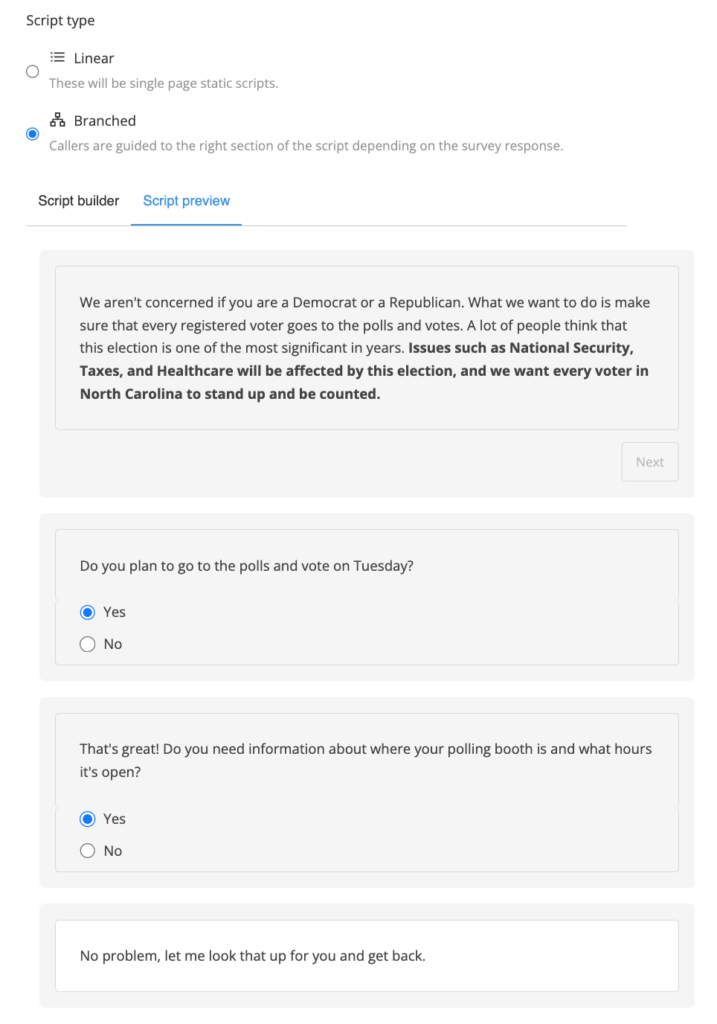
A GOTV calling campaign typically involves scripted interactions between volunteers or staff members and voters. These scripts may be linear or dynamic, as discussed earlier.
Relational organizing works differently because the messenger already has trust. Instead of contacting strangers, supporters reach out to friends, family, coworkers, neighbors, or other people they already know.
A relational GOTV script should sound less formal than a campaign phone bank script. But it should still include a clear voting ask.
| Relational script element | What to include |
| Personal opener | “Hi, it’s [Name]” |
| Why you care | One sentence on why you support the campaign |
| Vote ask | “Are you planning to vote?” |
| Practical help | Ride, reminder, polling place, ballot link |
| Friendly close | End like a real personal conversation |
Relational organizing: Linear GOTV script sample
“Hi [Contact Name], it’s [Your Name].”
“You know I’m volunteering with [Campaign]. I signed up because [issue, candidate, or reason] really matters to me.”
“I’m calling to check if you’re planning to vote on [Election Day].”
If yes:
“Great. Do you know when you’re going? I can also help you look up your polling place if you need it.”
If they need a ride:
“I can help with that or connect you with someone from the campaign.”
If no:
“Can I ask why not?”
If they share a concern:
“I hear you. For me, [brief personal reason] is why I still think voting matters this time.”
Close:
“Thanks for talking with me. Say hi to [relative, friend, or shared contact] from me.”
Relational organizing: Dynamic GOTV script sample
“Hi [Contact Name], it’s [Your Name].”
“I’m volunteering with [Campaign], and I’m checking in with people I know before Election Day. Are you planning to vote?”
If yes, choose option 1.
If no, choose option 2.
If unsure, choose option 3.
Option 1: Yes
“Great. Do you already know when you’re voting?”
If they need help:
“I can send you the polling place link or help you check the hours.”
Close:
“Thanks. I really appreciate you making time to vote.”
Option 2: No
“I understand. Can I ask what is making you sit this one out?”
If they mention a concern:
“That makes sense. I’m voting because [personal reason]. I won’t pressure you, but I hope you’ll consider it.”
Close:
“Thanks for hearing me out.”
Option 3: Unsure
“That’s fair. Is it because of the candidate, the issue, or the logistics of voting?”
If logistics:
“I can help you find the information.”
If issue-related:
“I can send you why I’m supporting [Candidate or Cause], and you can decide.”
Close:
“Thanks for talking with me.”
GOTV texting script samples
GOTV text scripts should be shorter than phone scripts. Use texting for links, reminders, quick replies, and no-answer follow-up. Use calls when the voter needs a conversation.
For campaign texting, make sure your team follows consent, opt-out, registration, and sender-identification rules. The FCC’s political call and text guidance is a useful starting point for compliance review.
Early voting reminder text
“Hi [Name], this is [Volunteer] with [Campaign]. Early voting is open through [Date]. You can find your voting location here: [Link]. Can we count on you to vote?”
Election Day reminder text
“Hi [Name], today is Election Day. Polls are open until [Time]. Make your plan to vote here: [Link]. Reply HELP if you need voting info.”
Mail ballot chase text
“Hi [Name], quick reminder from [Campaign]: if you still have your mail ballot, return it by [Deadline]. Find official drop-off info here: [Link].”
Already voted follow-up text
“Thank you for voting, [Name]. We appreciate you making your voice heard.”
If your campaign uses two-way texting, CallHub’s peer-to-peer texting can help volunteers send reminders, answer replies, and follow up with voters who need links or help.
GOTV canvassing script sample
Use this when volunteers are visiting identified supporters in person.
Sample script:
“Hi, I’m [Name], a volunteer with [Campaign]. We’re checking in with supporters before Election Day. Have you already voted?”
If yes:
“Great, thank you for voting.”
If no:
“Do you have a plan for when you’ll go?”
If they need help:
“We can help you find your polling place or voting hours.”
Close:
“Thanks for your time. Hope to see you at the polls.”
Canvassing scripts can be slightly more conversational because the interaction happens face to face. But the goal is still the same: confirm turnout and offer practical help.
How to use a GOTV script with a dialer
A dialer helps volunteers move through a GOTV list faster. But the script still needs to be short and easy to follow.
Use the dialer based on the list and campaign goal.
| Dialer setup | Best script type | Notes |
| Manual dialer | Linear or dynamic script | Good when volunteers need control over each call |
| Power dialer | Linear GOTV script | Good for confirmed supporter lists |
| Predictive dialer | Short GOTV script | Good for large lists, but requires careful compliance review |
| Mobile dialer or app | Simple vote plan script | Useful for remote or distributed volunteers |
CallHub’s phone banking software can show scripts, survey questions, and call outcomes while volunteers call. That matters in GOTV because a voter who already voted should not keep getting reminder calls, and a voter who needs a ride should be routed to the right team.
For a complete overview of how campaigns plan and run phone banking from start to finish, see the complete guide to political phone banking. For step-by-step setup guidance, use the political phone banking guide. For newer volunteers, share the first-time phone banking guide before their first shift.
How to log GOTV call outcomes
A GOTV script does not end when the call ends. The outcome needs to be recorded.
The outcome decides what happens next. Someone who already voted should be removed from reminder calls. Someone who needs a ride should be routed to the right team. Someone who did not answer may need a text follow-up.
Use clear dispositions.
| Outcome | Use when |
| Already voted | Voter confirms they voted |
| Vote plan made | Voter confirms when and how they will vote |
| Needs polling place info | Voter needs location or hours |
| Needs ballot info | Voter needs mail ballot or drop box information |
| Needs ride | Voter needs transportation |
| Needs reminder | Voter wants follow-up |
| No answer | Voter did not pick up |
| Voicemail left | Approved voicemail was left |
| Wrong number | Number is incorrect |
| Do not call | Voter asked not to be contacted |
Do not leave vague notes. A good note tells the next volunteer what to do.
Good note:
“Needs polling place link by text.”
Weak note:
“Had questions.”
The first note creates a clear follow-up. The second one forces the campaign to guess.
GOTV script mistakes to avoid
A GOTV script should make voting easier. These mistakes do the opposite.
Trying to persuade confirmed supporters
If someone is already a supporter, do not spend the call explaining the whole campaign. Help them vote.
Ask when they plan to vote, whether they need information, and whether they need a reminder.
Asking too many questions
A GOTV call should be short. Too many questions make volunteers sound like they are running a survey instead of helping someone vote.
Keep the call focused on turnout.
Forgetting to ask for a vote plan
“Please vote” is weaker than “When do you plan to vote?”
A vote plan helps the voter picture the action. Ask whether they are voting early, by mail, or on Election Day.
Not giving volunteers response paths
Volunteers need to know what to say when someone already voted, needs a ride, cannot find their polling place, asks not to be called, or says they are not voting.
The script should not leave them guessing.
Re-calling people who already voted
If vote history updates or voter responses show that someone already voted, remove them from reminder calls where possible.
Continuing to call them can create fatigue.
Using the same script for every channel
A phone script can be longer than a text. A canvassing script can be more conversational. A relational script should sound personal.
Keep the goal consistent, but adapt the wording to the channel.
Forgetting to log outcomes
If volunteers do not log the result, the campaign loses the value of the call.
A no-answer contact, ride request, completed vote plan, or do-not-call request should all change what happens next.
GOTV dry run: how to test the script before volunteers call
A GOTV dry run helps volunteers practice before they call real voters.
Keep it short. A 10-15 minute dry run is enough for most teams.
Use this process:
- Read the script out loud.
- Time the opening.
- Practice one supporter call.
- Practice one no-answer call.
- Practice one “already voted” call.
- Practice one “needs help” call.
- Check that each outcome has a disposition.
- Fix confusing lines before the shift starts.
A dry run is especially helpful for first-time volunteers. It also helps campaign managers catch awkward wording before the live phone bank begins.
Conclusion
A well-crafted GOTV script helps volunteers do one thing well: move supporters from intention to action.
The best scripts do not overcomplicate the call. They confirm the voter, remind them what is at stake, ask for a vote plan, offer practical help, and record the outcome.
Use linear scripts for confirmed supporters. Use dynamic scripts for mixed lists. Use relational scripts when trust already exists. Use texts for quick reminders and links. Use canvassing scripts when volunteers are at the door.
Once your GOTV script is ready, CallHub’s phone banking software can help you upload voter lists, assign volunteers, show scripts during calls, collect survey answers, and track outcomes from one dashboard.
You can also use CallHub’s peer-to-peer texting to send GOTV reminders, follow up with no-answer voters, and share official voting links.
Frequently asked questions
What is a GOTV script and why is it important?
A GOTV script is a guide used by campaigns to remind supporters to vote, help them make a vote plan, answer practical voting questions, and record whether they need follow-up. It keeps volunteers focused and makes turnout calls more consistent.
What should a good GOTV script include?
A strong GOTV script should include a greeting, campaign identification, voting reminder, vote plan question, offer of practical help, response paths, call outcome instructions, and a polite close.
How do I choose the right type of GOTV script?
Choose a linear script for known supporters, a dynamic script for mixed or undecided lists, and a relational script for friends, family, or personal networks. Use texting for quick reminders and links. Use canvassing scripts for face-to-face turnout reminders.
What is a GOTV phone bank script?
A GOTV phone bank script is a call guide volunteers use when calling supporters to confirm whether they have voted or made a plan to vote. It usually asks whether the voter is voting early, by mail, or on Election Day.
How long should a GOTV script be?
A GOTV phone script should usually last one to two minutes. The opening should be short, and the call should focus on vote plan, voting help, and next step.
What should volunteers say if the voter already voted?
They should thank the voter and record the outcome.
Example:
“Great, thank you for voting. I’ll mark that so we do not keep reminding you.”
What should volunteers say if the voter needs polling place information?
They should offer to send official voting information.
Example:
“No problem. I can send the official polling place information by text after this call.”
What is the difference between a linear and dynamic GOTV script?
A linear script follows the same path for most calls. A dynamic script changes based on voter responses. Use linear scripts for confirmed supporters. Use dynamic scripts when voters may have questions, concerns, or different support levels.
Can you use GOTV scripts for texting?
Yes, but text scripts should be shorter than phone scripts. A GOTV text should include sender identity, a clear voting reminder, a link to official voting information if needed, and a simple reply option.
What is a GOTV dry run?
A GOTV dry run is a short practice session before volunteers start calling or texting. Volunteers read the script, practice common situations, and confirm which outcomes to log.