

A voter has requested an absentee ballot, but it is still sitting on the kitchen counter. Another supporter plans to vote after work but has not checked when the polls close. A third has already voted and should not receive another reminder.
All three may appear in the same voter file. They should not receive the same message.
A text GOTV reminder works best when it gives an identified supporter the next useful action at the right moment. It is a mobilization message, not a last attempt at persuasion. The goal is to remove a voting barrier, confirm a plan, or help the voter complete the method they already chose.
This guide gives you a reminder timeline, copy-ready templates, segmentation rules, and a practical way to manage replies and opt-outs. For the wider channel strategy, use CallHub’s GOTV texting guide alongside this reminder plan. For full-campaign planning beyond texting, see CallHub’s complete guide to GOTV.
Key Takeaways
A GOTV text reminder works best when it gives an already-identified supporter one clear next action at the right moment, functioning as mobilization rather than persuasion.
Does it work?
- A 2018 Tech for Campaigns analysis found people who received a text were 1% more likely to vote, with stronger turnout associations among some younger voters, recipients of localized or issue-based messages, and people who replied, though the findings are correlational rather than causal.
- Vote.org’s 2016 texting experiment found a statistically significant 0.5% turnout increase, with plan-making messages and warm texts outperforming cold texts.
- The practical lesson is that specific, timely, personal reminders help close the gap between intending to vote and actually voting, not that every text produces identical results.
Writing the message
- A useful reminder identifies the sender, names the election or deadline, gives one verified fact, asks for one action, and makes requesting help easy.
- Localized, candidate-specific, and issue-based messages were associated with higher turnout than stock messages in the Tech for Campaigns analysis, though this doesn’t mean every reminder needs a policy pitch.
- Segmentation should use voting method, district, language, voting status, and requested assistance, without inserting sensitive or unverified personal data just because a database field exists.
Managing replies
- The Tech for Campaigns analysis found that people who replied to a text were 9.6% more likely to vote than nonrespondents, which may partly reflect prior motivation but still gives campaigns a useful operating signal.
- Staff should prepare the reply queue in advance with saved responses for polling-place questions, voting hours, transportation, accessibility, ballot tracking, and opt-outs, routing unanswerable questions to a trained voter-assistance lead.
- Texting systems should record dispositions such as already voted, needs ride, needs information, wrong number, and opted out, and these updates should change the next message a voter receives.
Choosing audiences and building the plan
- Age alone should not determine who receives a text; campaigns should start with applicable permissions and outreach rules, then factor in contactability, prior responses, language, voting method, and channel preference.
- Supporters who don’t respond to texts but answer calls should move to phone banking, while voters with complex barriers in dense priority precincts may be better served by canvassing.
- Effective conversations help a voter name a time, method, place, and fallback by asking one question at a time about when, how, and whether they need transportation, accessibility, childcare, or time-off information.
- If a voter says they have already voted, staff should thank them, update the record immediately, and stop the reminder sequence.
Compliance and relational outreach
- Political texting rules vary by technology, sender type, jurisdiction, and recipient relationship, so counsel or a qualified compliance owner should review consent records, disclaimers, quiet hours, and carrier and platform rules before launch.
- FCC guidance confirms consumers can revoke consent using reasonable language such as STOP, QUIT, END, REVOKE, OPT OUT, CANCEL, or UNSUBSCRIBE, so systems should not recognize only one exact word, and opt-outs should be suppressed promptly, retained, and protected from accidental re-addition via list imports.
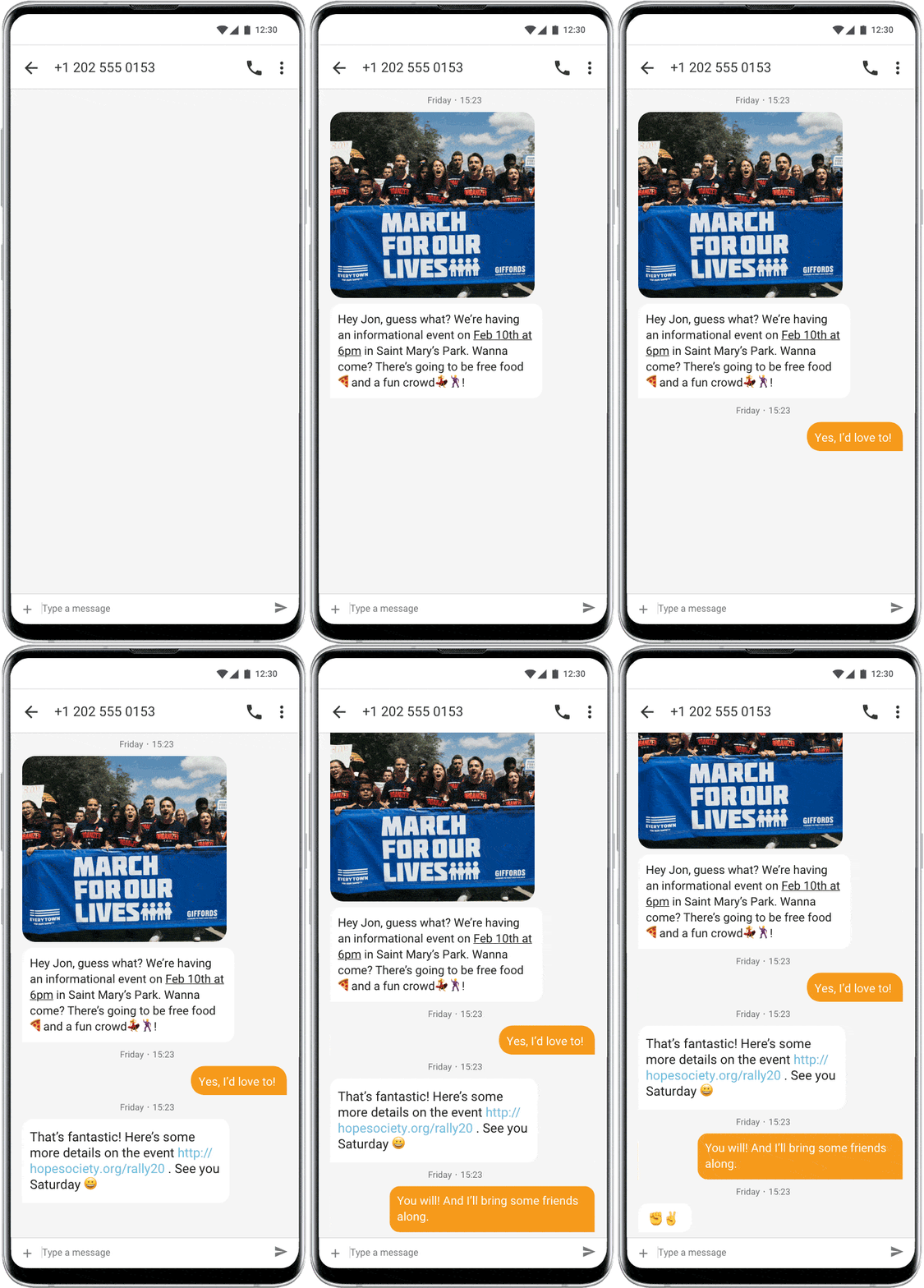
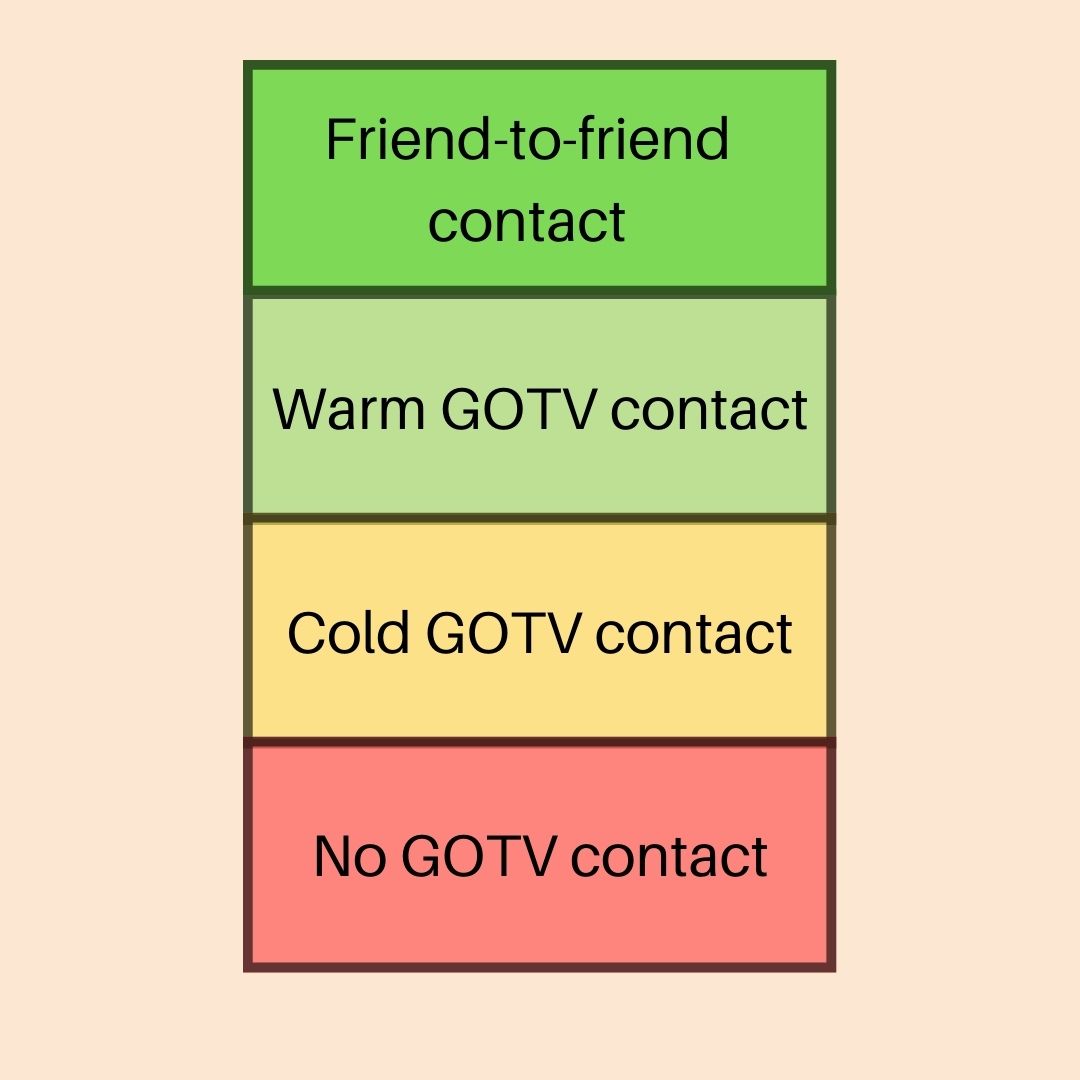
- A large-scale field study led by Columbia University researchers found substantial effects from friend-to-friend mobilization, suggesting relational outreach works best when volunteers have a genuine connection to the people they contact and personalize their greeting while keeping official voting facts and links controlled.
Do GOTV text reminders work?
Yes, text reminders can help campaigns turn voting intent into action. The size of the effect depends on the audience, relationship, message, and study design.
A 2018 Tech for Campaigns analysis found that people who received a text were 1% more likely to vote. The report also found stronger turnout associations among some younger voters, people who received localized or issue-based messages, and people who replied. The authors are clear that these findings are correlational, not causal.
Vote.org reported a statistically significant 0.5% turnout increase across a large 2016 texting experiment. Its plan-making messages asked voters to think through how they would get to the polls. The published analysis also found that warm texts outperformed cold texts.
The useful lesson is not that every text produces the same lift. It is that specific, timely, personal reminders can remove the gap between “I plan to vote” and “I voted.”
Content
A useful reminder identifies the sender, names the election or deadline, gives one verified fact, and asks for one action. It should also make help easy to request.
The Tech for Campaigns analysis found that localized, candidate-specific, and issue-based messages were associated with higher turnout than stock messages. That does not mean every reminder needs a policy pitch. It means voters should be able to see why the message applies to them.
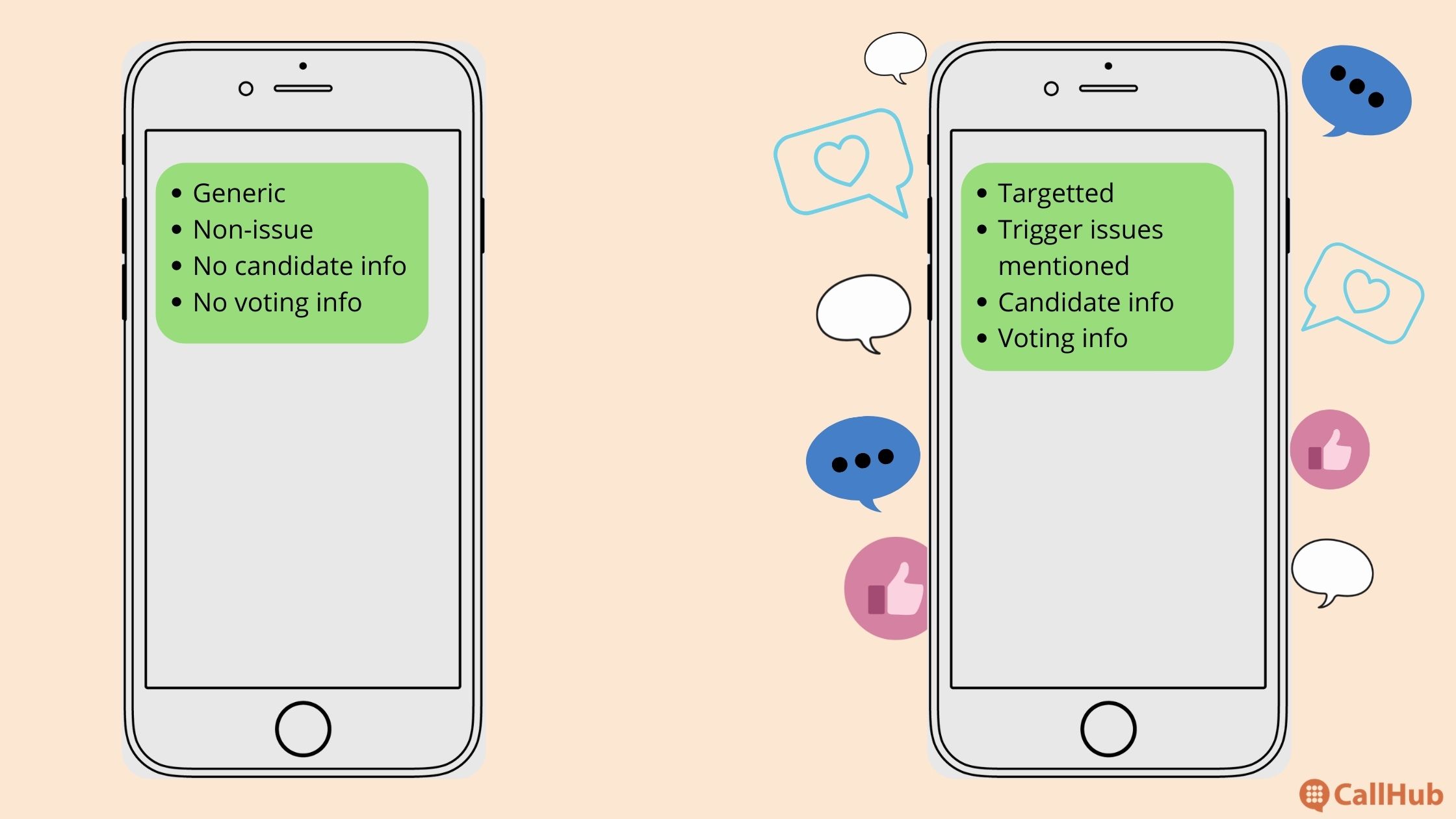
Use information you already hold responsibly. Segment by voting method, district, language, voting status, and requested assistance. Do not insert sensitive or unverified personal information simply because the field exists in your database.
Conversations
A reminder should open a path to help, not end with a one-way command. The same Tech for Campaigns analysis found that people who replied were 9.6% more likely to vote than nonrespondents. That relationship may reflect motivation as well as the conversation itself, but replies still give a campaign a useful operating signal.
Staff the reply queue before you send. Prepare saved replies for polling-place questions, voting hours, transportation, accessibility, ballot tracking, and opt-outs. Route questions your volunteers cannot answer to a trained voter-assistance lead.
Your political text messaging system should record dispositions such as “already voted,” “needs ride,” “needs information,” “wrong number,” and “opted out.” Those updates should change the next message a voter receives.
Choose audiences using consent, reachability, and response data
Age alone should not decide who receives a GOTV text. Start with the permissions and outreach rules that apply to your program. Then use contactability, prior responses, language, voting method, and stated channel preference.
If a supporter does not respond to texts but answers calls, move them to phone banking. If a voter has a complex barrier in a dense priority precinct, canvassing may be more useful. Texting is one part of the contact plan, not a reason to ignore stronger signals.
Build the voting plan in the conversation
A voting reminder becomes more useful when it helps the voter name a time, method, place, and fallback. Ask one question at a time:
- Are you voting early, by mail, or on Election Day?
- What day and time do you plan to vote?
- Do you know where to go or how to track your ballot?
- Do you need transportation, accessibility information, childcare information, or time-off guidance?
Keep verified local answers ready. If the voter says they have already voted, thank them and update the record immediately. Do not continue the sequence.
Consent, sender identification, and opt-outs
Political texting rules can vary by the technology used, the type of sender, the jurisdiction, and the relationship with the recipient. Before launch, have counsel or a qualified compliance owner review federal and state law, carrier requirements, platform rules, sender identification, consent records, disclaimers, and quiet hours.
Automated texting programs also need a reliable way to recognize revocation. FCC guidance explains that consumers can use reasonable language to withdraw consent, including words such as STOP, QUIT, END, REVOKE, OPT OUT, CANCEL, or UNSUBSCRIBE. Do not design a system that recognizes only one exact word.
Operational rule: Suppress an opt-out across the applicable texting program promptly, retain the record, and do not allow a later list import to add the number back accidentally.
Relational reminders
A familiar messenger can make a reminder feel helpful instead of generic. A large-scale field study led by researchers at Columbia University found substantial effects from friend-to-friend mobilization in its study population.
Use relational outreach when volunteers have a real connection to the people they contact. Let the volunteer personalize the greeting and reason for reaching out, but keep voting facts and official links controlled. CallHub’s guide to relational organizing explains how campaigns can structure this work.
When to send GOTV text reminders
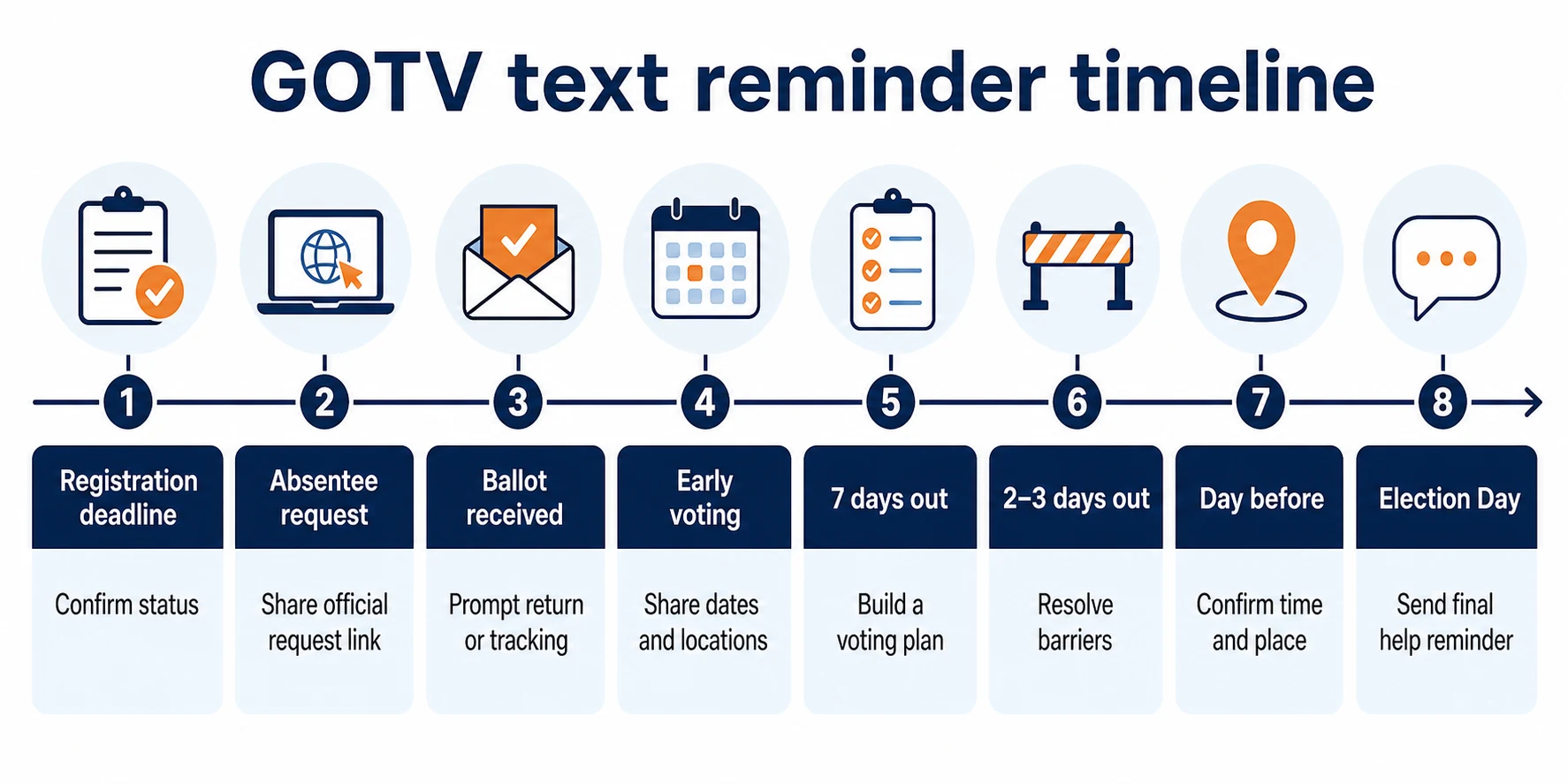
The right time depends on the voter’s chosen method and the next deadline they can still meet. Build separate sequences for registration, absentee or mail voting, early voting, and Election Day.
Recommended reminder timeline
| Stage | Audience | Primary goal | Stop or change the sequence when |
|---|---|---|---|
| Before registration closes | Eligible contacts whose registration needs confirmation | Share the official registration-status or registration link and deadline | Registration is confirmed, the person is ineligible, or they opt out |
| Absentee request window | Supporters who prefer to vote by mail | Share the official request link and jurisdiction-specific deadline | The request is confirmed or the deadline has passed |
| Ballot issued or received | Mail voters with an active ballot | Prompt completion, return, tracking, or cure action | Return is confirmed, the voter changes method, or they opt out |
| Early voting opens | Supporters eligible for early voting | Share dates, hours, locations, and a planning question | The voter reports voting or chooses Election Day |
| Seven days before Election Day | Identified supporters without a confirmed plan | Choose method, time, and place | A complete plan or voting status is recorded |
| Two to three days before | Supporters with an unresolved barrier | Resolve transportation, location, identification, accessibility, or scheduling needs | The barrier is resolved or escalated |
| Day before | Election Day voters | Confirm polling hours, location, and intended voting time | The voter reports voting early or opts out |
| Election Day | Supporters not yet marked as voted | Give a final verified reminder and a help path | They vote, polls close, or they opt out |
Election calendars differ. Use official state or local election sources for every deadline, location, polling hour, identification rule, ballot-return instruction, and tracking link.
Who should receive each reminder?
Segment the list before you schedule a sequence. At minimum, use:
- Voting method: Mail, early in person, or Election Day.
- Status: No plan, plan confirmed, ballot requested, ballot returned, already voted, or needs help.
- Relationship and permission: Opted-in subscriber, prior responder, P2P contact, or relational contact.
- Location: Jurisdiction, precinct, district, or polling site.
- Language and accessibility: Preferred language and requested accommodations.
Synchronize replies and voting-status data with the voter file as often as your operation can support. A late data update is better than another irrelevant message.
GOTV text reminder templates by stage
A reliable template has five parts: The sender, the relevant election or deadline, one verified fact, one next action, and a way to ask for help. Add the opt-out or disclaimer language required for your program.
Template rule: Replace every bracketed field. Test each link. Have a second person verify the election date, deadline, polling hours, and jurisdiction before sending.
Registration reminder
Registration messages belong before the main GOTV period, but they determine who can enter the final mobilization universe. Link to an official election authority whenever possible.
Template:
Hi [First name], this is [Sender] with [Campaign/organization]. The voter-registration deadline for [Jurisdiction] is [Date]. Check your status or register at [Official URL]. Reply HELP if you need assistance. [Required opt-out/disclaimer]
For a complete setup, use the voter-registration drive guide.
Absentee and mail-ballot reminders
Mail voters need different messages as the process moves from request to return. Do not keep sending a request link after the ballot has been issued.
| Stage | Template |
|---|---|
| Request | Hi [First name], [Sender] with [Campaign/organization]. The deadline to request a [mail/absentee] ballot in [Jurisdiction] is [Date]. Use the official request page: [URL]. Reply HELP with questions. [Opt-out/disclaimer] |
| Return | Hi [First name], a reminder from [Campaign/organization]: If you received your ballot, review the official return options and deadline here: [URL]. Have you returned it? Reply YES, NO, or HELP. [Opt-out/disclaimer] |
| Track or cure | Hi [First name], you can check your ballot status using [Jurisdiction]’s official tracker: [URL]. If the site shows a problem, follow the official cure instructions or reply HELP. [Opt-out/disclaimer] |
Remove voters from the mail sequence when their return is confirmed. If the return window is no longer practical, share only an officially permitted in-person alternative.
Friend-to-friend reminder
Ask reliable supporters to contact people they genuinely know. Keep the ask simple and avoid prizes or incentives that may create legal or ethical questions.
Template:
Hi [First name], I’m making my voting plan for [Election date] and checking in with three friends. Do you know when and where you’ll vote? I can send the official polling-place link if that helps.
Polling-day information reminder
A polling reminder should help the voter act without searching through multiple websites.
Template:
Hi [First name], this is [Sender] with [Campaign/organization]. Election Day in [Jurisdiction] is [Date], and polls are open [Hours]. Confirm your polling place at [Official URL]. What time do you plan to vote? [Opt-out/disclaimer]
Voting-plan conversation
Plan-making works best as a short exchange. Ask one question, wait for the response, and solve the barrier the voter names.
- Open: Hi [First name], it’s [Sender] with [Campaign/organization]. Are you planning to vote early, by mail, or on Election Day?
- If they choose Election Day: Great. What time works best for you?
- Confirm location: Do you know your polling place? I can send the official lookup link.
- Offer help: Do you need transportation, accessibility information, or help checking the voting requirements?
- Close: Thanks. I’ve noted your plan for [Time]. Reply here if anything changes. [Opt-out/disclaimer]
Day-before reminder
Use urgency without pressure. The voter needs a clear plan, not capital letters or an argument.
Template:
Hi [First name], tomorrow is Election Day in [Jurisdiction]. Polls are open [Hours]. Confirm your location at [Official URL]. Are you still planning to vote at [Planned time]? Reply HELP if you need information. [Opt-out/disclaimer]
Election Day reminders
Send Election Day texts only to voters who are still eligible for the sequence. Offer a reply path that removes people who have already voted.
Morning template:
Good morning, [First name]. This is [Sender] with [Campaign/organization]. Today is Election Day. Polls in [Jurisdiction] are open until [Closing time]. Find your polling place at [Official URL]. Reply VOTED if you’ve already voted or HELP if you need information. [Opt-out/disclaimer]
Final-hours template:
Hi [First name], polls in [Jurisdiction] close at [Time]. If you have not voted, confirm your location and official voting information at [URL]. Reply HELP if a barrier is keeping you from the polls. [Opt-out/disclaimer]
Never invent turnout counts or imply that a campaign can see a live secret ballot. Thank voters who reply VOTED, update the disposition, and stop further reminders.
How to schedule and manage GOTV text reminders
Scheduling is the final step, not the first. Clean and segment the list, verify the facts, define reply ownership, and test suppression before you activate the campaign.
Prepare these controls:
- A current contact list with jurisdiction, voting method, language, time zone, and status fields.
- Consent and compliance records required for the program.
- Saved replies for predictable questions and escalation instructions for difficult ones.
- Suppression rules for opt-outs, wrong numbers, already-voted contacts, and completed mail ballots.
- A test group that receives every message and link before the live audience.
- A monitoring owner for delivery, response, opt-out, and help-request queues.
Sending a Text Broadcast in CallHub
Use a broadcast when the same verified reminder applies to an opted-in segment and you have a plan for inbound replies. Verify the current product interface and support instructions before publication.
- Create a Text Broadcast campaign and give it a clear internal name.
- Select the correct segmented contact list.
- Choose the approved sending number.
- Add the initial message, merge tags, and any approved automated replies.
- Check the time zone, schedule, opt-out handling, and suppression list.
- Send a test, review the rendered message and links, then schedule the campaign.
Use CallHub’s current Text Broadcast setup instructions during implementation.

Running a peer-to-peer texting campaign in CallHub
Use peer-to-peer texting when volunteers need to start and manage individual conversations at scale. Train volunteers before launch and give them approved saved replies.
- Create a Peer-to-Peer Texting campaign with a descriptive name.
- Add the initial script or import the approved questions from your CRM using the relevant integration.
- Create saved replies for common questions, barriers, opt-outs, and escalations.
- Select the correct contact list and approved sending number.
- Assign trained agents, confirm the schedule, and send a test.
- Launch the campaign and monitor conversations, dispositions, and suppressions.
Review the latest peer-to-peer texting setup guide before launch.
CallHub’s mass texting service supports segmented broadcasts, while peer-to-peer texting helps volunteers manage one-to-one conversations. Choose the workflow based on the kind of reply and assistance the voter may need. See CallHub’s GOTV use case for how these tools fit into a complete get-out-the-vote program.
Feature image source: Rodion Kutsaiev/Unsplash.
The way forward
A good reminder sequence follows the voter’s next decision. It does not repeat the same “go vote” message until polls close.
Start with method and status. Send the relevant deadline or planning prompt. Staff the replies. Then remove people from the sequence when they vote, complete the mail process, reach the wrong person, or opt out.
The best GOTV reminder is the one that helps the voter complete one real action and keeps your voter file accurate for the next contact.
Build this schedule into your broader GOTV strategy, and use your campaign data to decide when a text should become a call, a canvass, or no further contact at all.
Frequently asked questions: Text GOTV reminders
Do text GOTV reminders actually increase voter turnout?
Research suggests that well-designed text reminders can produce modest turnout gains, especially when messages are timely, personal, and useful. Results vary by audience and study. Campaigns should not assume a universal percentage. Track delivery, response, dispositions, and verified turnout after the election.
When should I send text GOTV reminders?
Send reminders when a voter has a specific action they can still complete. That may be before a registration or absentee deadline, when early voting opens, during ballot return, the week before Election Day, the day before, or on Election Day. Build separate sequences for each voting method.
What should I include in a text GOTV reminder?
Include the sender, the relevant election or deadline, one verified voting fact, one clear action, and a way to request help. Use an official election link for registration, polling-place, ballot-tracking, or deadline information. Add the opt-out and disclaimer language required for your program.
How do I personalize GOTV reminder texts at scale?
Segment contacts by jurisdiction, voting method, language, status, and known needs. Use tested merge fields for names and local information. Prepare saved replies for common questions, but let trained volunteers adjust the conversation when needed. Never insert unverified or sensitive data merely to make a text feel personal.
What tools can help me manage GOTV texting campaigns?
Platforms like CallHub offer mass and peer-to-peer texting, automated replies, contact segmentation, and analytics to track campaign effectiveness.
How should campaigns handle STOP and other opt-out requests?
Recognize reasonable revocation language, record the request, and suppress the number promptly across the applicable texting program. Do not rely on STOP alone. Review current federal and state law, carrier requirements, platform policies, and counsel’s guidance before launching the campaign.
How are absentee-ballot reminders different from Election Day reminders?
Absentee reminders follow request, receipt, return, tracking, and cure deadlines. Election Day reminders focus on polling hours, location, voting plans, and immediate barriers. The calls to action and suppression signals differ, so campaigns should not place both groups in one generic sequence.
How many GOTV reminder texts should a campaign send?
There is no universal number. Base frequency on the voter’s method, the deadlines still open, prior contacts, replies, urgency, and opt-out risk. Stop when the voter completes the action, reports voting, reaches the wrong number, or withdraws consent. More messages are not automatically more effective.